


[Unity] Inspector Debug Mode 인스펙터 디버그 모드
Unity 2026. 1. 29. 13:06 |반응형
유니티 인스펙터를 디버그 모드로 변경하면 private으로 선언된 각 변수의 변화도 쉽게 관찰할 수 있다.
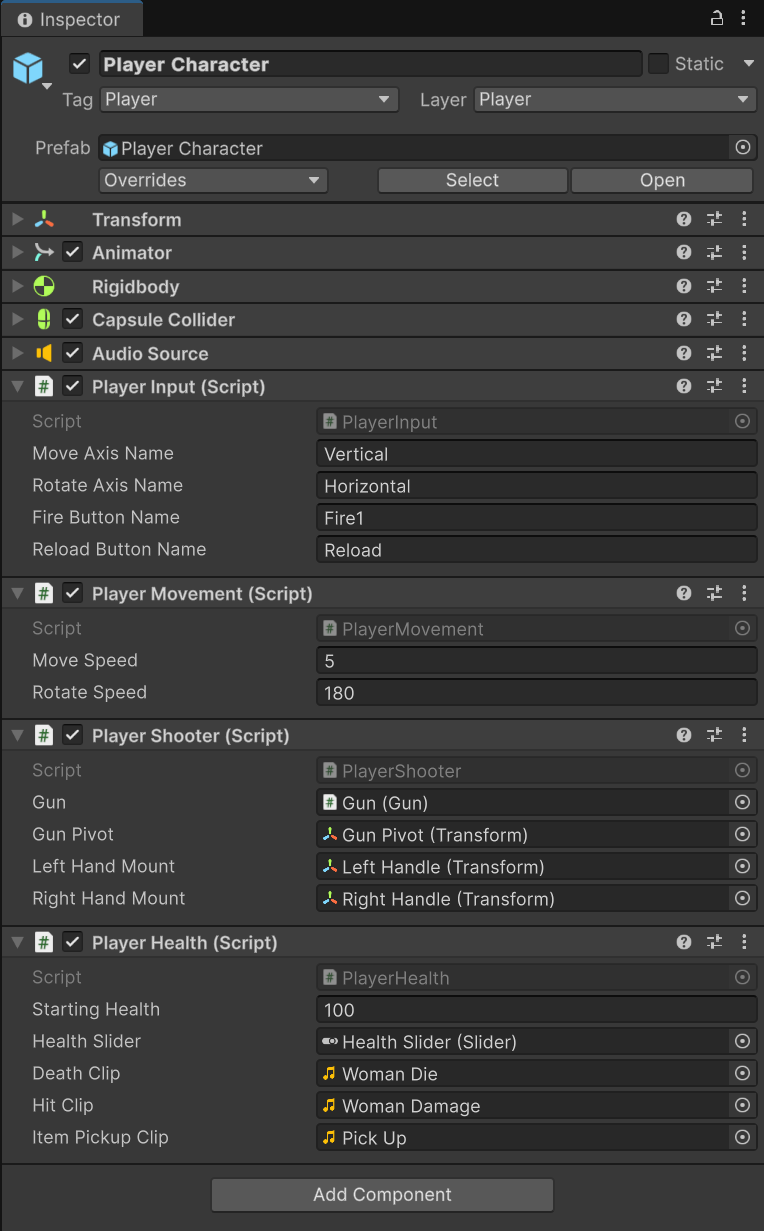
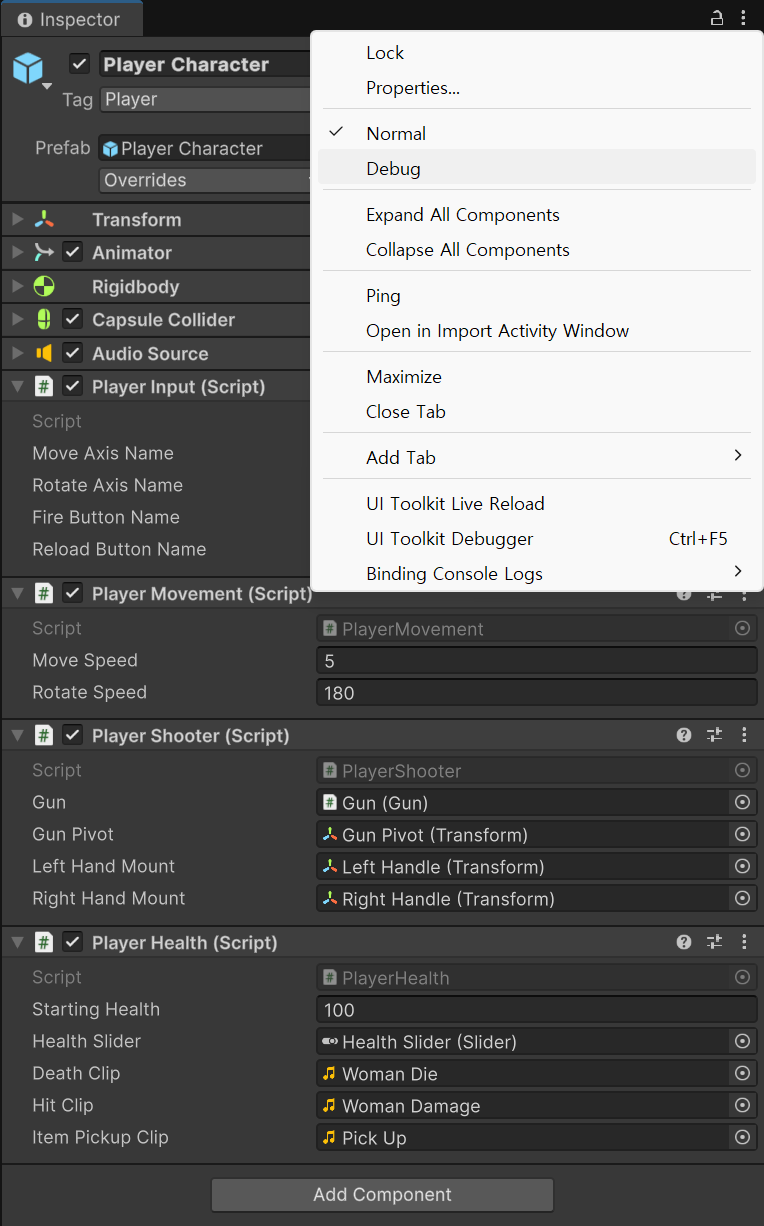

PlayerHealth.cs의 내용은 아래와 같다
using UnityEngine;
using UnityEngine.UI; // UI 관련 코드

// 플레이어 캐릭터의 생명체로서의 동작을 담당
public class PlayerHealth : LivingEntity {
    public Slider healthSlider; // 체력을 표시할 UI 슬라이더

    public AudioClip deathClip; // 사망 소리
    public AudioClip hitClip; // 피격 소리
    public AudioClip itemPickupClip; // 아이템 습득 소리

    private AudioSource playerAudioPlayer; // 플레이어 소리 재생기
    private Animator playerAnimator; // 플레이어의 애니메이터

    private PlayerMovement playerMovement; // 플레이어 움직임 컴포넌트
    private PlayerShooter playerShooter; // 플레이어 슈터 컴포넌트

    private void Awake() {
        // 사용할 컴포넌트를 가져오기
        playerAnimator = GetComponent<Animator>();
        playerAudioPlayer = GetComponent<AudioSource>();
        playerMovement = GetComponent<PlayerMovement>();
        playerShooter = GetComponent<PlayerShooter>();

    }

    protected override void OnEnable() {
        // LivingEntity의 OnEnable() 실행 (상태 초기화)
        base.OnEnable();

        healthSlider.gameObject.SetActive(true);
        healthSlider.maxValue = startingHealth;
        healthSlider.value = health;

        playerMovement.enabled = true;
        playerShooter.enabled = true;
    }

    // 체력 회복
    public override void RestoreHealth(float newHealth) {
        // LivingEntity의 RestoreHealth() 실행 (체력 증가)
        base.RestoreHealth(newHealth);

        healthSlider.value = health;
    }

    // 데미지 처리
    public override void OnDamage(float damage, Vector3 hitPoint, Vector3 hitDirection) {
        // LivingEntity의 OnDamage() 실행(데미지 적용)
        base.OnDamage(damage, hitPoint, hitDirection);

        if (!dead)
            playerAudioPlayer.PlayOneShot(hitClip);

        healthSlider.value = health;
    }

    // 사망 처리
    public override void Die() {
        // LivingEntity의 Die() 실행(사망 적용)
        base.Die();

        healthSlider.gameObject.SetActive(false);
        playerAudioPlayer.PlayOneShot(deathClip);
        playerAnimator.SetTrigger("Die");
        playerMovement.enabled = false;
        playerShooter.enabled = false;
    }

    private void OnTriggerEnter(Collider other) {
        // 아이템과 충돌한 경우 해당 아이템을 사용하는 처리
        if (!dead)
        {
            IItem item = other.GetComponent<IItem>();
            if(item != null)
            {
                item.Use(gameObject);
                playerAudioPlayer.PlayOneShot(itemPickupClip);
            }
        }
    }
}
반응형
'Unity' 카테고리의 다른 글
| [Unity2D] 텍스트 길이에 맞게 사이즈 자동 조절되는 이미지 (0) | 2025.12.29 |
|---|---|
| [Unity2D] 2D Sprite에 Text 추가하기 (0) | 2025.12.29 |
| [Unity] RectTransform with Content Size Filter (0) | 2025.12.29 |
| [Unity] Transparent Background Application 투명 배경 애플리케이션 (0) | 2025.12.24 |
| [Unity] Input System Package 유니티 입력 시스템 (0) | 2025.12.24 |