


[Unity] Transparent Background Application 투명 배경 애플리케이션
Unity 2025. 12. 24. 22:43 |반응형
배경이 투명한 애플리케이션을 만들어 보자.
우선 Built-in Render Pipeline의 경우다.
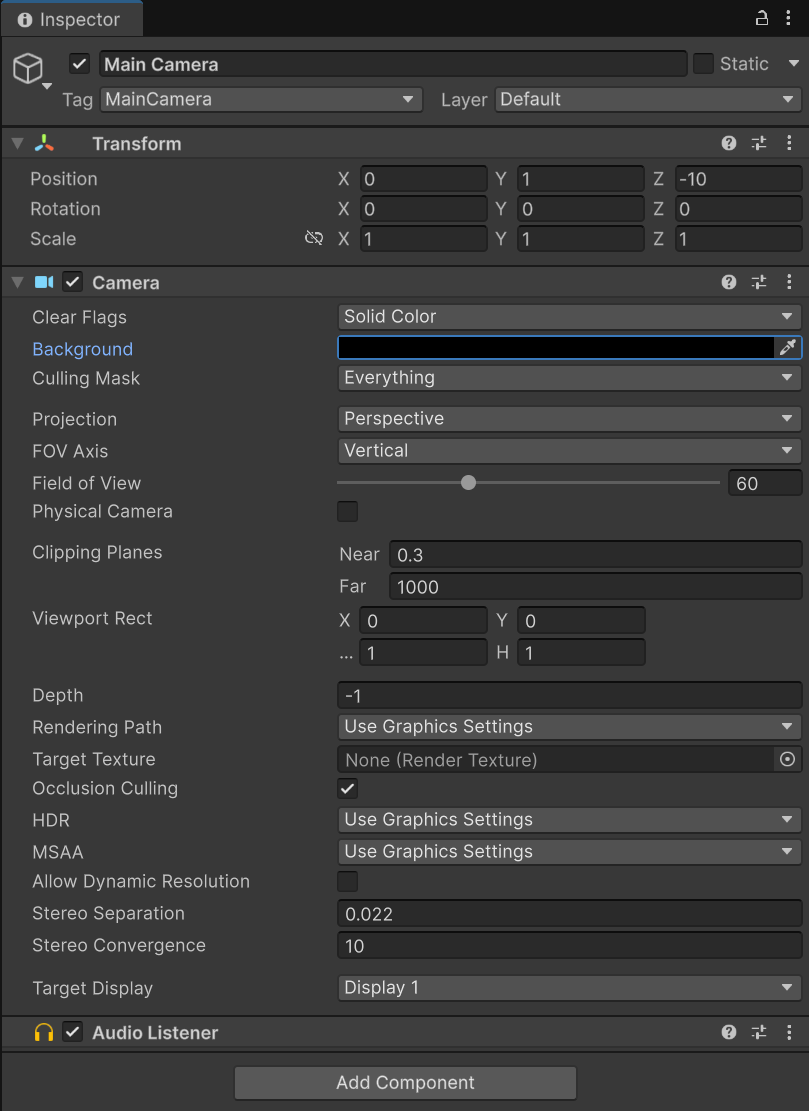


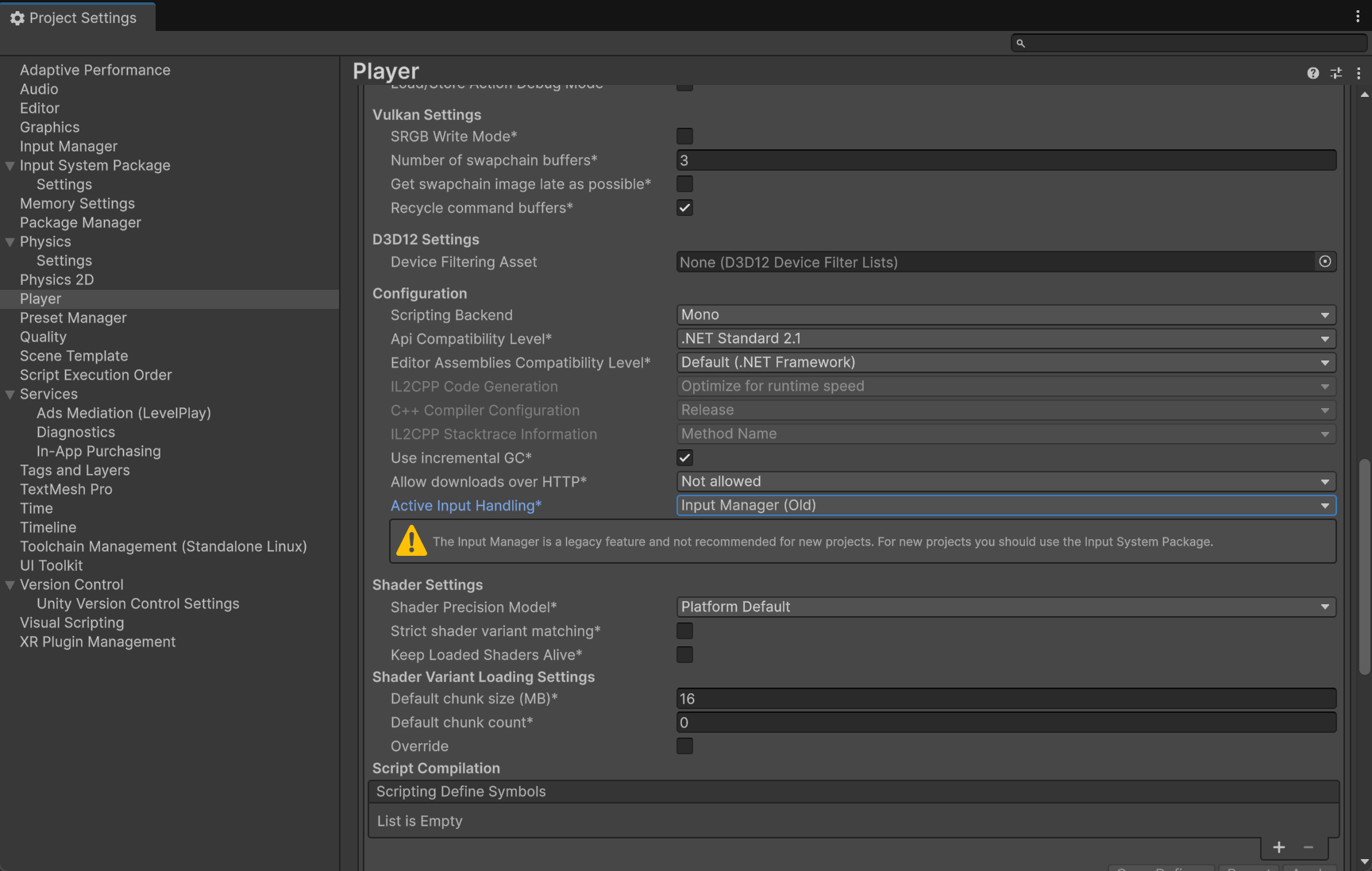
using System;
using UnityEngine;
using System.Runtime.InteropServices;

public class NewBehaviourScript : MonoBehaviour
{
    public struct MARGINS
    {
        public int leftWidth;
        public int rightWidth;
        public int topHeight;
        public int bottomHeight;
    }

    [DllImport("user32.dll")]
    public static extern IntPtr GetActiveWindow();

    [DllImport("user32.dll")]
    public static extern IntPtr SetWindowLongPtr(IntPtr hWnd, int nIndex, IntPtr dwNewLong);

    [DllImport("user32.dll")]
    public static extern int BringWindowToTop(IntPtr hwnd);

    [DllImport("user32.dll")]
    [return: MarshalAs(UnmanagedType.Bool)]
    public static extern bool SetWindowPos(IntPtr hWnd, IntPtr hWndInsertAfter, int x, int y, int cx, int cy, uint uFlags);

    [DllImport("Dwmapi.dll")]
    public static extern uint DwmExtendFrameIntoClientArea(IntPtr hWnd, ref MARGINS margins);

    static readonly IntPtr HWND_TOPMOST = new IntPtr(-1);
    static readonly IntPtr HWND_NOTOPMOST = new IntPtr(-2);

    IntPtr hWnd;
    const UInt32 SWP_NOSIZE = 0x0001;
    const UInt32 SWP_NOMOVE = 0x0002;

    const int GWL_EXSTYLE = -20;
    const long WS_EX_LAYERED = 0x00080000L;
    const long WS_EX_TRANSTPARENT = 0x00000020L;

    void Start()
    {
        Application.runInBackground = true;

        hWnd = GetActiveWindow();

        MARGINS margins = new MARGINS { leftWidth = -1 };
        DwmExtendFrameIntoClientArea(hWnd, ref margins);
        // Negative margins have special meaning to DwmExtendFrameIntoClientArea.
        // Negative margins create the "sheet of glass" effect, where the client area
        // is rendered as a solid surface with no window border.
        SetWindowLongPtr(hWnd, GWL_EXSTYLE, (IntPtr)WS_EX_LAYERED);

        BringWindowToTop(hWnd);
        SetWindowPos(hWnd, HWND_TOPMOST, 0, 0, 0, 0, SWP_NOSIZE);
    }

    bool toggle = true;
    void Update()
    {
        if (Input.GetKeyUp(KeyCode.Space))
        {
            toggle = !toggle;

            BringWindowToTop(hWnd);
            SetWindowPos(hWnd, HWND_TOPMOST, 0, 0, 0, 0, SWP_NOSIZE);

            if (toggle)
            {
                SetWindowLongPtr(hWnd, GWL_EXSTYLE, (IntPtr)WS_EX_LAYERED);
            }
            else
            {
                SetWindowLongPtr(hWnd, GWL_EXSTYLE, (IntPtr)(WS_EX_LAYERED | WS_EX_TRANSTPARENT));
            }
        }
    }
}
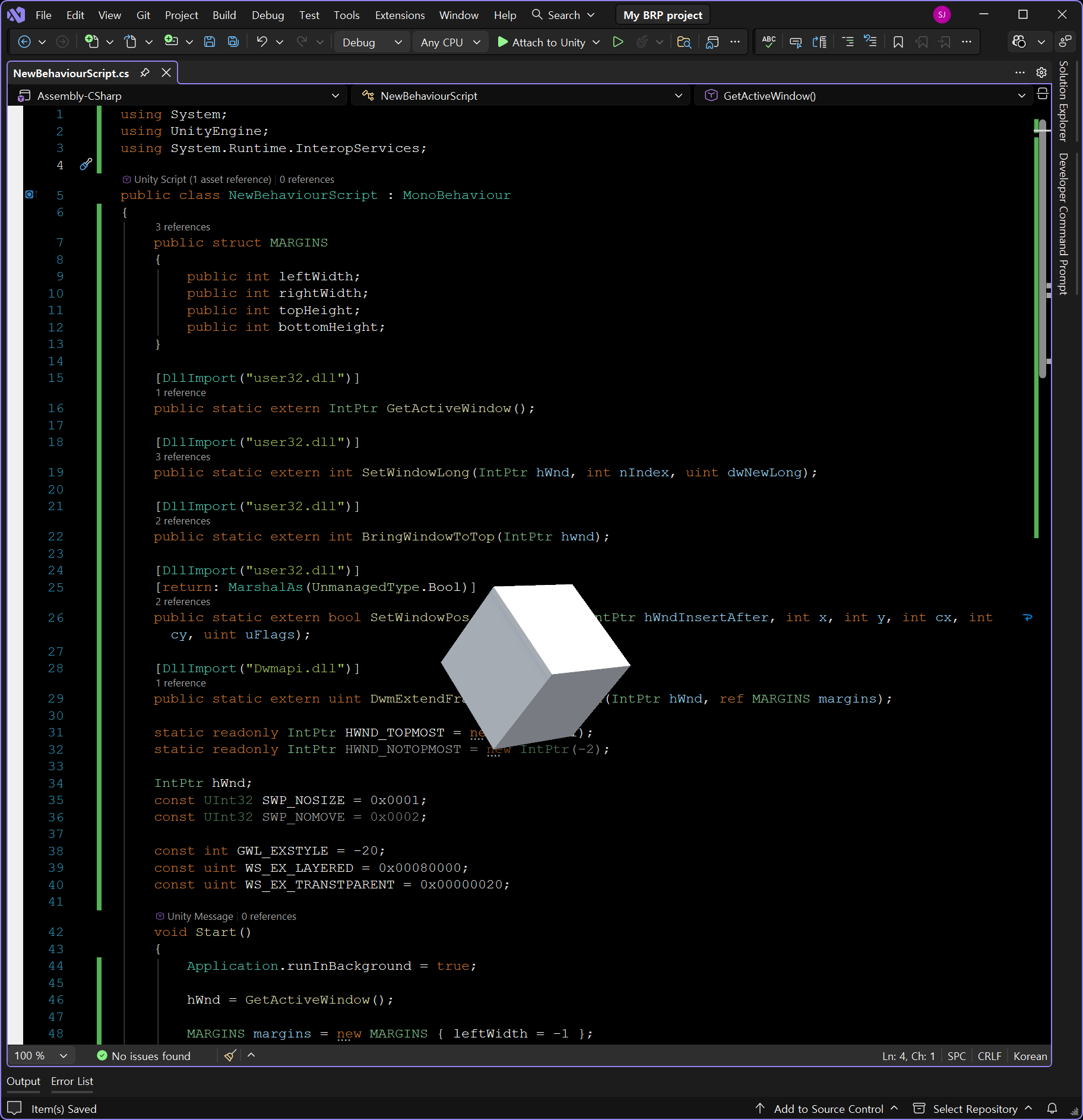
스크립트를 작성하고 적당한 오브젝트에 추가한다. 스페이스 키를 누르면 배경의 존재 유무가 변경된다.
Univeral Reder Pipeline의 경우,
1. 프로젝트 창에서 Assets/settings/PC_Renderer(예: Renderer2D)/Post-Processing/*Enabled 체크 해제*
2. 프로젝트 창에서 Assets/settings/PC_RP(예: UniversalRP)/Quality/HDR/*체크 해제*
작업을 추가로 진행해야 한다.
※ 참고
https://youtu.be/RqgsGaMPZTw?si=ypzYCdXufnlmBRSd
반응형
'Unity' 카테고리의 다른 글
| [Unity2D] 2D Sprite에 Text 추가하기 (0) | 2025.12.29 |
|---|---|
| [Unity] RectTransform with Content Size Filter (0) | 2025.12.29 |
| [Unity] Input System Package 유니티 입력 시스템 (0) | 2025.12.24 |
| [Unity2D] Tilemap & Sprite Collision and Shadow 타일맵 & 스프라이트 충돌 및 그림자 (2) | 2025.06.02 |
| [Unity2D] Simple Character Controller 2D 간단한 2D 캐릭터 컨트롤러 (1) | 2025.06.01 |