


[YOLO] with OpenCV
AI, ML, DL 2026. 2. 8. 18:40 |반응형
YOLO와 OpenCV를 함께 사용해 보자.
import cv2
from ultralytics import YOLO

image = cv2.imread("palvin2.png")
model = YOLO("yolo26n-pose.pt")
result = model(image, save=False, show=False)[0]
# 1개의 이미지만 사용했으므로 이미지 내 사람 수와 상관없이 결과에는 항상 1개의 원소([0])만 있다

for i in range(len(result)):
	print(f"#{i} Confidence: {result.boxes.conf[i]}")
	print(f"Nose at ({result.keypoints.data[i][0][0].int()}, {result.keypoints.data[i][0][1].int()})")
	center = (result.keypoints.data[i][0][0].int().item(), result.keypoints.data[i][0][1].int().item())
	cv2.circle(image, center, 30, (255, 0, 0), 2)
	# result.keypoints.data[i][0] = nose(x, y)
	# Tensor.int() => 정수 tensor로 변환
	# Tensor.item() => tensor number를 Python number로 변환.

cv2.imshow("Image", image)
cv2.waitKey(0)
cv2.destroyAllWindows()
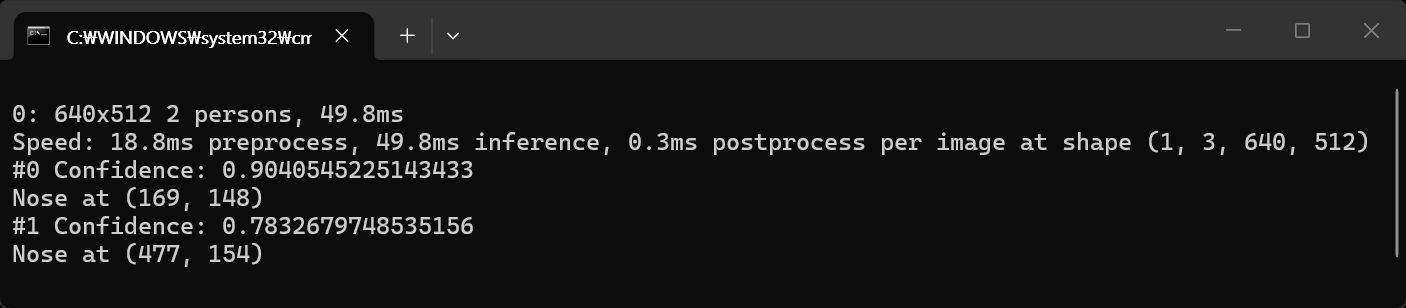
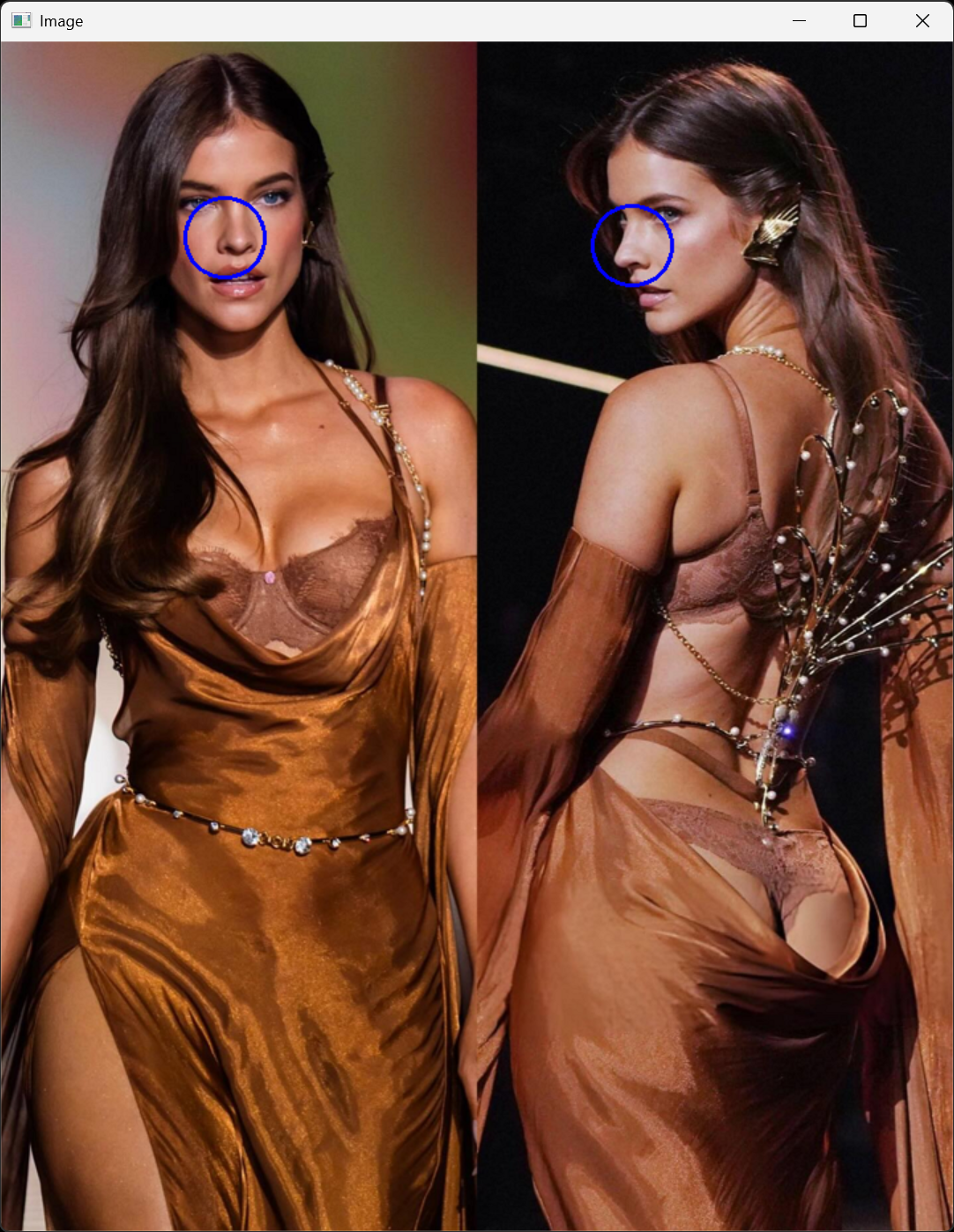
코 위치에 원이 그려진다.
아래 코드는 카메라를 사용해 매 프레임 마다 코 위치에 원을 그린다.
import cv2
from ultralytics import YOLO

capture = cv2.VideoCapture(0)
capture.set(cv2.CAP_PROP_FRAME_WIDTH, 640)
capture.set(cv2.CAP_PROP_FRAME_HEIGHT, 480)
if capture.set(cv2.CAP_PROP_FPS, 30):
	print("FPS set")
else:
	print("FPS setting failed")

model = YOLO("yolo26n-pose.pt")

while cv2.waitKey(1) < 0:
	ret, frame = capture.read()
	result = model(frame, save=False, show=False, verbose=False)[0]
	# 1개의 프레임만 사용했으므로 프레임 내 사람 수와 상관없이 결과에는 항상 1개의 원소([0])만 있다

	for i in range(len(result)):
		center = (result.keypoints.data[i][0][0].int().item(), result.keypoints.data[i][0][1].int().item())
		cv2.circle(frame, center, 30, (255, 0, 0), 2)
		# result.keypoints.data[i][0] = nose
		# Tensor.int() => 정수 tensor로 변환
		# Tensor.item() => tensor number를 Python number로 변환.

	cv2.imshow("Image", frame)

capture.release()
cv2.destroyAllWindows()
반응형
'AI, ML, DL' 카테고리의 다른 글
| [YOLO] Multi-Object Tracking 물체 추적 (0) | 2026.02.10 |
|---|---|
| [YOLO] Model Training 모델 훈련 (0) | 2026.02.09 |
| [YOLO] YOLO models to ONNX 파일 변환 (0) | 2026.02.08 |
| [YOLO] Pose Estimation 포즈 추정 (0) | 2026.02.07 |
| [Gemini] Gemini API for Python and C# (0) | 2025.11.28 |