반응형

raylib에서 윈도우 핸들을 구해 보자.


1
2
3
4
5
6
7
8
9
10
11
12
13
14
15
16
17
18
19
20
21
22
23
24
25
26
27
28
29
30
#define _CRT_SECURE_NO_WARNINGS
 
#include "raylib.h"
#include <stdio.h>
 
int main(void)
{
    InitWindow(640480"raylib example");
 
    void* p = GetWindowHandle();
    printf("Window Handle: %p\n", p);
    //printf("%016llX\n", (long long)p);
 
    char str[17];
    sprintf(str, "%016llX", (long long)p);
 
    while (!WindowShouldClose())
    {
        BeginDrawing();
 
        ClearBackground(RAYWHITE);
        DrawText(str, 22023020, GRAY);
 
        EndDrawing();
    }
 
    CloseWindow();
 
    return 0;
}


소스를 입력하고 빌드한다.


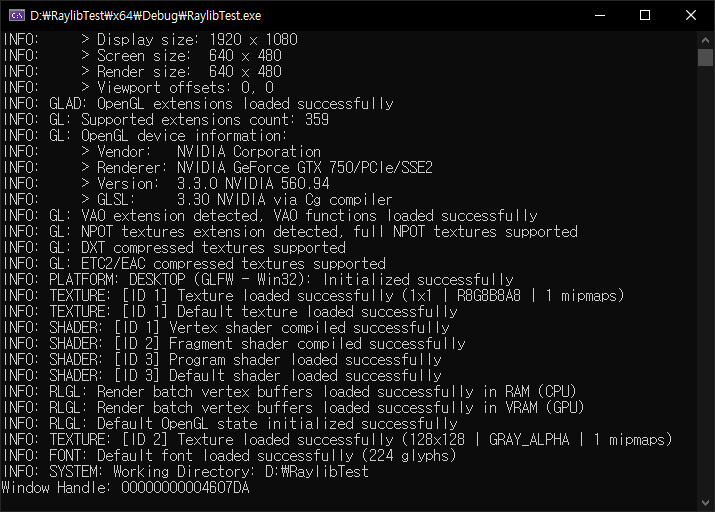
마지막 줄에 윈도우 핸들이 출력된다.


윈도우 핸들이 출력된다.

하지만 raylib는 child window를 만들 수 없다.


※ 참고

2025.03.30 - [SDL, raylib] - [SDL3] Simple DirectMedia Layer 3 Setup and Getting Started - SDL3 설정 및 초기화


반응형
Posted by J-sean
:
반응형

raylib로 간단한 파티클 시스템을 만들어 보자.


1
2
3
4
5
6
7
8
9
10
11
12
13
14
15
16
17
18
19
20
21
22
23
24
25
26
27
28
29
30
31
32
33
34
35
36
37
38
39
40
41
42
43
44
45
46
47
48
49
50
51
52
53
54
55
56
57
58
59
60
61
62
63
64
65
66
67
68
69
#include "raylib.h"
 
const int screenWidth = 640;
const int screenHeight = 480;
 
Texture2D texture;
 
class Particles {
private:
    Vector2 position;
    Vector2 velocity;
public:
    Particles() {
        Reset();
    }
 
    void Draw_particle() {
        //DrawPixel(position.x, position.y, WHITE);
        //DrawCircle(position.x, position.y, 10, WHITE);
        DrawTexture(texture, position.x, position.y, WHITE);
        position.x += velocity.x;
        position.y += velocity.y;
        if (position.x > screenWidth || position.y > screenHeight)
            Reset();
    }
 
    void Reset() {
        position.x = GetRandomValue(-screenWidth * 0.4f, screenWidth);
        position.y = GetRandomValue(-screenHeight * 20);
        float max = 10000.0f;
        velocity.x = (GetRandomValue(1, (int)max) / max) * 0.5f;
        velocity.y = (GetRandomValue(1, (int)max) / max) + 0.8f;
    }
};
 
int main(void)
{
    //SetConfigFlags(FLAG_WINDOW_TRANSPARENT | FLAG_WINDOW_UNDECORATED);
    InitWindow(screenWidth, screenHeight, "raylib example");
    // InitWindow() 실행시 내부에서 SetRandomSeed()를 time(NULL)로 초기화 한다.
    // particle 생성시 GetRandomValue()를 사용하므로 InitWindow() 이후에 생성한다.
    SetTargetFPS(60);
 
    texture = LoadTexture("snow.png");
    // NOTE: Textures MUST be loaded after Window initialization (OpenGL context is required)
 
    const int number_particles = 400;
    Particles particles[number_particles];
 
    while (!WindowShouldClose())
    {
        BeginDrawing();
 
        ClearBackground(BLACK);
 
        for (int i = 0; i < number_particles; i++)
            particles[i].Draw_particle();
 
        DrawFPS(00);
 
        EndDrawing();
    }
 
    UnloadTexture(texture);
 
    CloseWindow();
 
    return 0;
}


특별한 설정 없이도 png 파일의 알파 채널을 인식한다.

소스를 입력하고 빌드한다.


snow.png
0.00MB


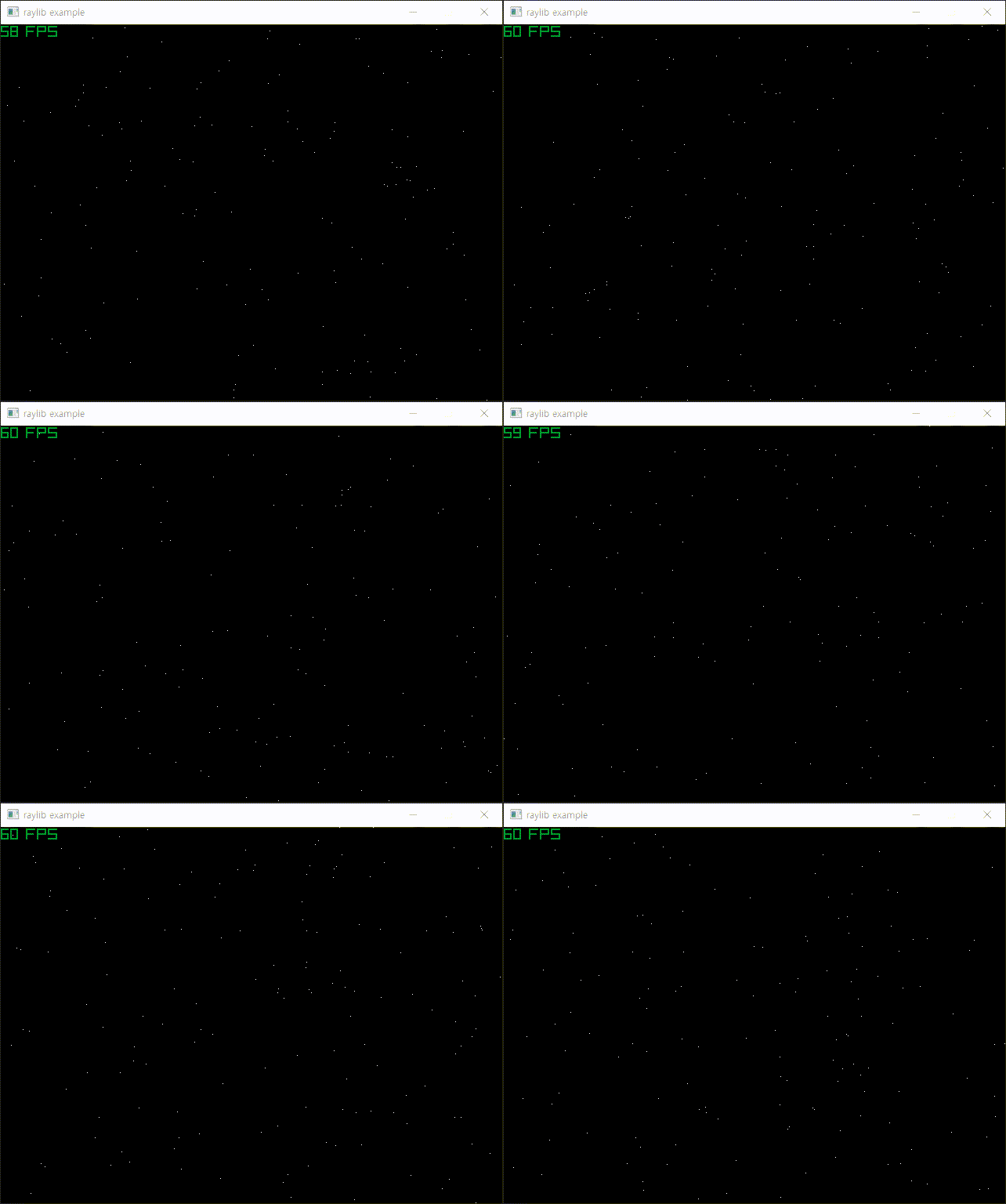
DrawPixel(position.x, position.y, WHITE) 실행


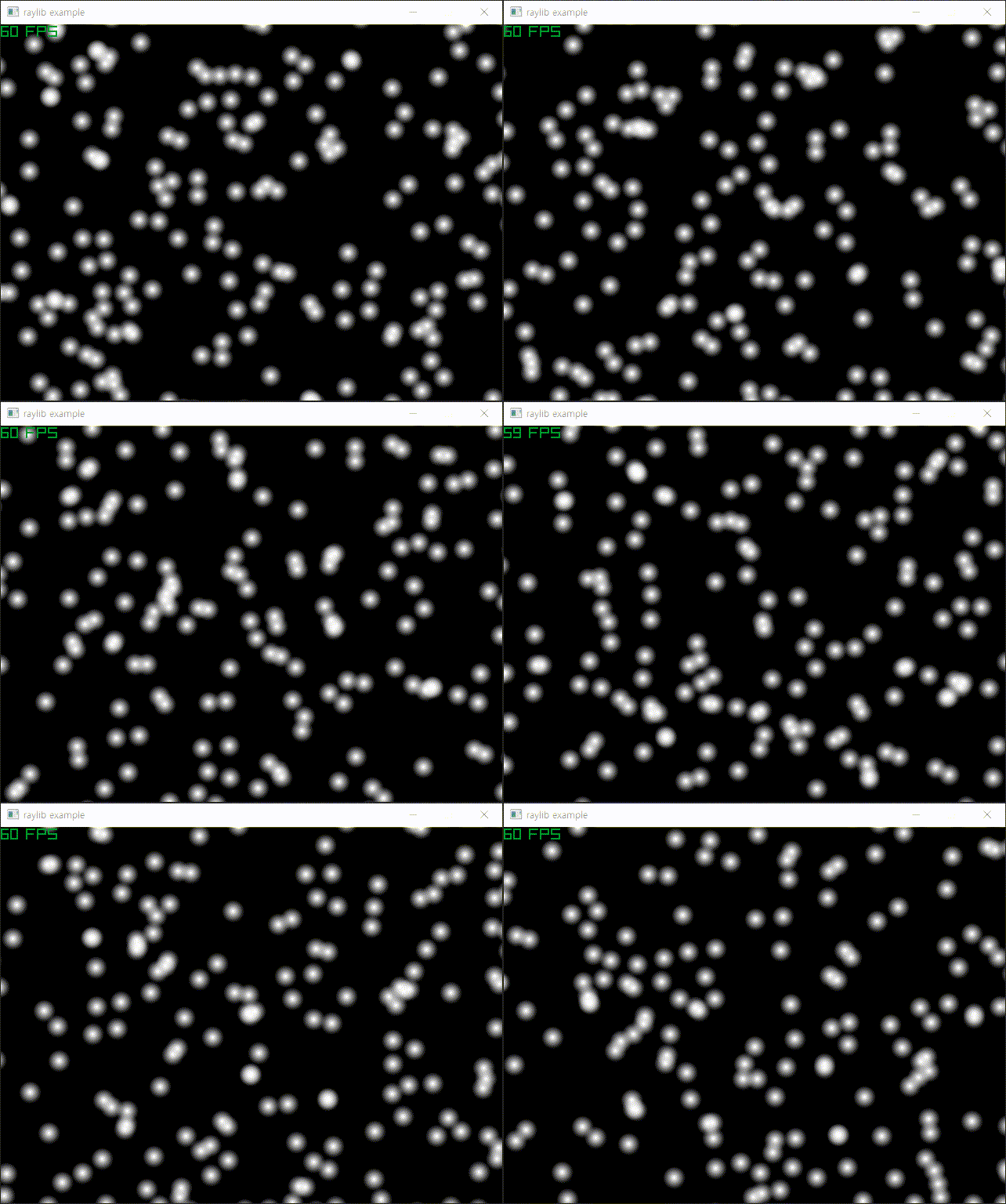
DrawTexture(texture, position.x, position.y, WHITE) 실행


실제 실행하면 텍스쳐가 많이 깜빡인다. (아래 동영상 참고)

DrawPixel() 을 실행할 때는 크게 눈에 띄지 않지만 DrawTexture() 를 실행하면 눈에 띈다.


윈도우 사이즈를 크게 할수록 깜빡이는 현상이 줄어드는거 같다. 아니면 snow.png 파일을 LoadImage()로 로드하고 ImageResize()로 크게 바꾼 다음 LoadTextureFromImage()로 로드하면 깜빡임이 약간 줄어드는거 같다. (ImageResize()로 이미지 확대가 핵심)

Vector2로 정의된 위치값을 사용하는 DrawTextureV()를 이용해도 차이가 없다.

정확한 원인을 모르겠다.


RenerTexture2D를 사용하니까 조금 덜 깜빡이는거 같기도 한데.. 아닌거 같다.

더보기


1
2
3
4
5
6
7
8
9
10
11
12
13
14
15
16
17
18
19
20
21
22
23
24
25
26
27
28
29
30
31
32
33
34
35
36
37
38
39
40
41
42
43
44
45
46
47
48
49
50
51
52
53
54
55
56
57
58
59
60
61
62
63
64
65
66
67
68
69
70
71
72
73
74
75
76
77
78
79
80
81
#include "raylib.h"
 
const int screenWidth = 640;
const int screenHeight = 480;
 
Texture2D texture;
 
class Particles {
private:
    Vector2 position;
    Vector2 velocity;
public:
    Particles() {
        Reset();
    }
 
    void Draw_particle() {
        //DrawPixel(position.x, position.y, WHITE);
        //DrawCircle(position.x, position.y, 10, WHITE);
        DrawTexture(texture, position.x, position.y, WHITE);
        position.x += velocity.x;
        position.y += velocity.y;
        if (position.x > screenWidth || position.y > screenHeight)
            Reset();
    }
 
    void Reset() {
        position.x = GetRandomValue(-screenWidth * 0.4f, screenWidth);
        position.y = GetRandomValue(-screenHeight * 20);
        float max = 10000.0f;
        velocity.x = (GetRandomValue(1, (int)max) / max) * 0.5f;
        velocity.y = (GetRandomValue(1, (int)max) / max) + 0.8f;
    }
};
 
int main(void)
{
    //SetConfigFlags(FLAG_WINDOW_TRANSPARENT | FLAG_WINDOW_UNDECORATED);
    InitWindow(screenWidth, screenHeight, "raylib example");
    // InitWindow() 실행시 내부에서 SetRandomSeed()를 time(NULL)로 초기화 한다.
    // particle 생성시 GetRandomValue()를 사용하므로 InitWindow() 이후에 생성한다.
    SetTargetFPS(60);
 
    RenderTexture2D target = LoadRenderTexture(screenWidth, screenHeight);
 
    texture = LoadTexture("snow.png");
    // NOTE: Textures MUST be loaded after Window initialization (OpenGL context is required)
 
    const int number_particles = 400;
    Particles particles[number_particles];
 
    while (!WindowShouldClose())
    {
        BeginTextureMode(target);
        {
            ClearBackground(BLACK);
 
            for (int i = 0; i < number_particles; i++)
                particles[i].Draw_particle();
 
            DrawFPS(00);
        }
        EndTextureMode();
 
        BeginDrawing();
        {
            //ClearBackground(BLACK);
            //DrawTexture(target.texture, 0, 0, WHITE); // 위아래가 뒤집혀 보인다.
            DrawTextureRec(target.texture, { 00, screenWidth, -screenHeight }, { 00 }, WHITE);
            // OpenGL의 좌표 체계가 다르기 때문에 위아래를 뒤집어야 제대로 표시된다.
        }
        EndDrawing();
    }
 
    UnloadTexture(texture);
    UnloadRenderTexture(target);
 
    CloseWindow();
 
    return 0;
}


Raylib 파티클 예제에 나오는 것 처럼 구조체를 이용해 봐도 별 차이가 없다.

Raylib Particles  

더보기


1
2
3
4
5
6
7
8
9
10
11
12
13
14
15
16
17
18
19
20
21
22
23
24
25
26
27
28
29
30
31
32
33
34
35
36
37
38
39
40
41
42
43
44
45
46
47
48
49
50
51
52
53
54
55
56
57
58
59
60
61
62
63
64
65
66
67
68
69
70
#include "raylib.h"
 
const int screenWidth = 640;
const int screenHeight = 480;
 
Texture2D texture;
 
typedef struct {
    Vector2 position;
    Vector2 velocity;
} s_particle;
 
const int number_particles = 400;
s_particle particles[number_particles];
 
void spawn_particle(s_particle* pt) {
    pt->position.x = GetRandomValue(-screenWidth * 0.4f, screenWidth);
    pt->position.y = GetRandomValue(-screenHeight * 20);
    float max = 10000.0f;
    pt->velocity.x = (GetRandomValue(1, (int)max) / max) * 0.5f;
    pt->velocity.y = (GetRandomValue(1, (int)max) / max) + 0.8f;
}
 
void draw_particle(s_particle pt[]) {
    for (int i = 0; i < number_particles; i++) {
        s_particle* particle = &pt[i];
        particle->position.x += particle->velocity.x;
        particle->position.y += particle->velocity.y;
 
        if (particle->position.x > screenWidth || particle->position.y > screenHeight)
            spawn_particle(particle);
 
        DrawTexture(texture, particle->position.x, particle->position.y, WHITE);
    }
}
 
int main(void)
{
    //SetConfigFlags(FLAG_WINDOW_TRANSPARENT | FLAG_WINDOW_UNDECORATED);
    InitWindow(screenWidth, screenHeight, "raylib example");
    // InitWindow() 실행시 내부에서 SetRandomSeed()를 time(NULL)로 초기화 한다.
    // particle 생성시 GetRandomValue()를 사용하므로 InitWindow() 이후에 생성한다.
    SetTargetFPS(60);
 
    texture = LoadTexture("snow.png");
    // NOTE: Textures MUST be loaded after Window initialization (OpenGL context is required)
 
    for (int i = 0; i < number_particles; i++) {
        spawn_particle(&particles[i]);
    }
 
    while (!WindowShouldClose())
    {
        BeginDrawing();
        {
            ClearBackground(BLACK);
 
            draw_particle(particles);
 
            DrawFPS(00);
        }
        EndDrawing();
    }
 
    UnloadTexture(texture);
 
    CloseWindow();
 
    return 0;
}


한 가지 확인한 것은 velocity->x, velocity->y의 값을 임의의 소수가 아닌 (1이나 2같은)정수로 바꾸면 깜빡임이 없다.

Raylib 렌더링 함수에서 소수 처리 부분에 문제가 있는게 아닐까 싶다.


매 프레임마다 눈 이동 거리를 delta time으로 계산해도 별 의미가 없는거 같다.

더보기


1
2
3
4
5
6
7
8
9
10
11
12
13
14
15
16
17
18
19
20
21
22
23
24
25
26
27
28
29
30
31
32
33
34
35
36
37
38
39
40
41
42
43
44
45
46
47
48
49
50
51
52
53
54
55
56
57
58
59
60
61
62
63
64
65
66
67
68
69
70
71
72
73
74
75
76
#include "raylib.h"
 
const int screenWidth = 640;
const int screenHeight = 480;
 
Texture2D texture;
 
typedef struct {
    Vector2 position;
    Vector2 velocity;
} s_particle;
 
const int number_particles = 400;
s_particle particles[number_particles];
 
void spawn_particle(s_particle* pt) {
    pt->position.x = GetRandomValue(-screenWidth * 0.4f, screenWidth);
    pt->position.y = GetRandomValue(-screenHeight * 20);
    //float max = 10000.0f;
    //pt->velocity.x = (float)(GetRandomValue(1, (int)max) / max) * 0.5f;
    //pt->velocity.y = (float)(GetRandomValue(1, (int)max) / max) + 0.8f;
 
    pt->velocity.x = (float)GetRandomValue(030+ 10;
    // 눈이 오른쪽으로 이동하는 속도를 초당 10~40 픽셀로 설정
    pt->velocity.y = (float)GetRandomValue(2080+ 40;
    // 눈이 아래로 떨어지는 속도를 초당 60~120 픽셀로 설정    
}
 
void draw_particle(s_particle pt[], float delta) {
    for (int i = 0; i < number_particles; i++) {
        s_particle* particle = &pt[i];
        particle->position.x += particle->velocity.x * delta;
        particle->position.y += particle->velocity.y * delta;
 
        if (particle->position.x > screenWidth || particle->position.y > screenHeight)
            spawn_particle(particle);
 
        DrawTexture(texture, particle->position.x, particle->position.y, WHITE);
    }
}
 
int main(void)
{
    //SetConfigFlags(FLAG_WINDOW_TRANSPARENT | FLAG_WINDOW_UNDECORATED);
    InitWindow(screenWidth, screenHeight, "raylib example");
    // InitWindow() 실행시 내부에서 SetRandomSeed()를 time(NULL)로 초기화 한다.
    // particle 생성시 GetRandomValue()를 사용하므로 InitWindow() 이후에 생성한다.
    SetTargetFPS(60);
 
    texture = LoadTexture("snow.png");
    // NOTE: Textures MUST be loaded after Window initialization (OpenGL context is required)
 
    for (int i = 0; i < number_particles; i++) {
        spawn_particle(&particles[i]);
    }
 
    while (!WindowShouldClose())
    {
        BeginDrawing();
        {
            ClearBackground(BLACK);
 
            draw_particle(particles, GetFrameTime());
            // GetFrameTime() : Get time in seconds for last frame drawn (delta time)
 
            DrawFPS(00);
        }
        EndDrawing();
    }
 
    UnloadTexture(texture);
 
    CloseWindow();
 
    return 0;
}


반응형
Posted by J-sean
:
반응형

투명한 윈도우를 만들어 보자.


1
2
3
4
5
6
7
8
9
10
11
12
13
14
15
16
17
18
19
20
21
22
23
24
25
26
27
28
29
30
31
32
33
34
35
36
37
#include "raylib.h"
 
int main(void)
{
    const int screenWidth = 450;
    const int screenHeight = 500;
 
    SetConfigFlags(FLAG_WINDOW_TRANSPARENT | FLAG_WINDOW_UNDECORATED);
    InitWindow(screenWidth, screenHeight, "raylib example");
    SetTargetFPS(60);
 
    Image rayimage = LoadImage("palvin.jpg");
    // NOTE: Textures MUST be loaded after Window initialization (OpenGL context is required)
    Texture2D texture = LoadTextureFromImage(rayimage);
 
    //Texture2D texture = LoadTexture("palvin.jpg");
    // Image 사용 없이 LoadTexture("palvin.jpg")로 해도 된다.
    // 이 경우, 아래 UnloadImage(rayimage);는 삭제한다.
 
    while (!WindowShouldClose())
    {
        BeginDrawing();
 
        ClearBackground(BLANK);
 
        DrawTexture(texture, 1010, WHITE);
 
        EndDrawing();
    }
 
    UnloadImage(rayimage);
    UnloadTexture(texture);
 
    CloseWindow();
 
    return 0;
}


소스를 입력하고 빌드한다.


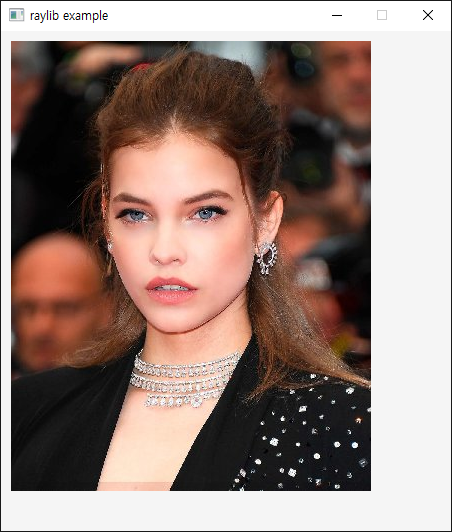
타이틀바가 없고 배경이 투병한 윈도우에 이미지가 출력된다.


Window Flags


반응형

'SDL, raylib' 카테고리의 다른 글

[raylib] Window Handle 윈도우 핸들  (0) 2025.05.04
[raylib] Particle 파티클 (Snow)  (0) 2025.05.04
[raylib] raylib with opencv  (0) 2025.05.03
[raylib] raylib 설정하고 사용하기  (0) 2025.05.02
[SDL3] Framerate Per Second FPS  (0) 2025.04.22
Posted by J-sean
:
반응형

raylib와 opencv를 사용해 보자.


1
2
3
4
5
6
7
8
9
10
11
12
13
14
15
16
17
18
19
20
21
22
23
24
25
26
27
28
29
30
31
32
33
34
35
36
37
38
39
40
41
42
43
#include "raylib.h"
#include "opencv2/opencv.hpp"
 
using namespace cv;
 
int main(void)
{
    Mat cvimage = imread("palvin.jpg", IMREAD_COLOR_RGB);
 
   Image rayimage{};
    rayimage.width = cvimage.cols;
    rayimage.height = cvimage.rows;
    rayimage.format = PIXELFORMAT_UNCOMPRESSED_R8G8B8;
    rayimage.mipmaps = 1;
    rayimage.data = cvimage.ptr(); //(void*)(cvimage.data);
 
    const int screenWidth = 450;
    const int screenHeight = 500;
    InitWindow(screenWidth, screenHeight, "raylib example");
    SetTargetFPS(60);
 
    // NOTE: Textures MUST be loaded after Window initialization (OpenGL context is required)
    Texture2D texture = LoadTextureFromImage(rayimage);
 
    while (!WindowShouldClose())
    {
        BeginDrawing();
 
        ClearBackground(RAYWHITE);
 
        DrawTexture(texture, 1010, WHITE);
 
        EndDrawing();
    }
 
    //UnloadImage(rayimage);
    // LoadImage()로 로드한 이미지에만 사용.
    UnloadTexture(texture);
 
    CloseWindow();
 
    return 0;
}


raylib에서 texture는 윈도우가 생성된 이후 로드되어야 한다.


반응형
Posted by J-sean
:
반응형

raylib를 다운받고 아래와 같이 프로젝트를 설정한다.


  • Project Property Pages - Debugging - Environment - path=D:\raylib\lib
  • Project Property Pages - C/C++ - General - Additional Include Directories - D:\raylib\include
  • Project Property Pages - Linker - General - Additional Library Directories - D:\raylib\lib
  • Project Property Pages - Linker - Input - Additional Dependencies - raylib.lib;winmm.lib
  • Project Property Pages - Linker - Input - Ignore Specific Default Libraries - msvcrt.lib


※ Debug 모드에서 msvcrt.lib를 Ignore Specific Default Libraries에 넣지 않으면 아래와 같은 경고가 발생한다. (Release 모드에서는 넣으면 안된다. 에러가 발생한다.)

LINK : warning LNK4098: defaultlib 'MSVCRT' conflicts with use of other libs; use /NODEFAULTLIB:library


1
2
3
4
5
6
7
8
9
10
11
12
13
14
15
16
17
18
19
20
21
22
23
24
25
26
27
28
29
30
31
32
33
34
35
36
37
38
39
40
41
42
43
44
#include "raylib.h"
 
//------------------------------------------------------------------------------------
// Program main entry point
//------------------------------------------------------------------------------------
int main(void)
{
    // Initialization
    //--------------------------------------------------------------------------------------
    const int screenWidth = 800;
    const int screenHeight = 450;
 
    InitWindow(screenWidth, screenHeight, "raylib [core] example - basic window");
 
    SetTargetFPS(60);               // Set our game to run at 60 frames-per-second
    //--------------------------------------------------------------------------------------
 
    // Main game loop
    while (!WindowShouldClose())    // Detect window close button or ESC key
    {
        // Update
        //----------------------------------------------------------------------------------
        // TODO: Update your variables here
        //----------------------------------------------------------------------------------
 
        // Draw
        //----------------------------------------------------------------------------------
        BeginDrawing();
 
        ClearBackground(RAYWHITE);
 
        DrawText("Congrats! You created your first window!"19020020, LIGHTGRAY);
 
        EndDrawing();
        //----------------------------------------------------------------------------------
    }
 
    // De-Initialization
    //--------------------------------------------------------------------------------------
    CloseWindow();        // Close window and OpenGL context
    //--------------------------------------------------------------------------------------
 
    return 0;
}


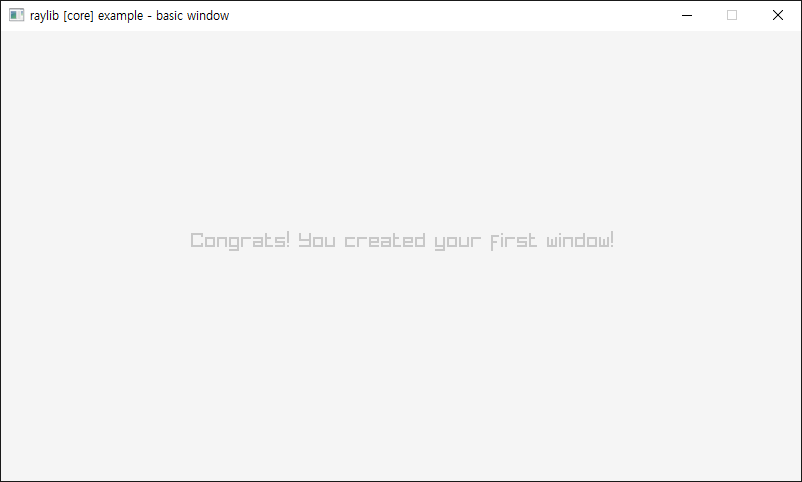
코드를 입력하고 빌드한다.


실행하면 윈도우가 나타난다.


아래 예제 코드를 참고한다.

Examples(Github)

Examples(Homepage)

FAQ

Cheatsheet

raylib wiki


반응형

'SDL, raylib' 카테고리의 다른 글

[raylib] Transparent Window(Window Flags)  (0) 2025.05.03
[raylib] raylib with opencv  (0) 2025.05.03
[SDL3] Framerate Per Second FPS  (0) 2025.04.22
[SDL3] Snapshot(Screenshot) 스냅샷  (0) 2025.04.20
[SDL3] Particle 파티클 (Fireworks/Snow)  (0) 2025.04.18
Posted by J-sean
: