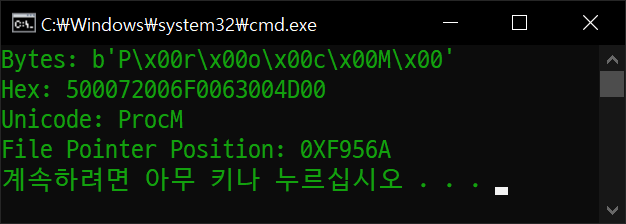
Procmon64.exe 파일의 0xF9560 위치에 'ProcM' 이라는 유니코드(UTF-16) 문자열이 있다.
import binascii

with open("Procmon64.exe", "rb") as f:
	f.seek(0xf9560) # 파일 포인터 이동
	data = f.read(10)
	print(f"Bytes: {data}")
	print(f"Hex: {binascii.b2a_hex(data).decode().upper()}")
	print(f"Unicode: {binascii.unhexlify(binascii.b2a_hex(data)).decode(encoding='utf-16', errors='ignore')}")
	print("File Pointer Position: " + hex(f.tell()).upper())  # 현재 파일 포인터 위치 출력
0xF9560위치에서 10바이트를 읽고 출력해 보자.
'ProcM' 문자열이 읽혀진다.
import binascii

with open("Procmon64.exe", "r+b") as f:
    f.seek(0xf9560) # 파일 포인터 이동
    pattern = "QrocM".encode(encoding="utf-16le").hex()
    f.write(bytes.fromhex(pattern))

    f.seek(-10, 1)  # 현재 위치(1)에서 10바이트 앞으로 이동
    data = f.read(10)
    print(f"Bytes: {data}")
    print(f"Hex: {binascii.b2a_hex(data).decode().upper()}")
    print(f"Unicode: {binascii.unhexlify(binascii.b2a_hex(data)).decode(encoding='utf-16', errors='ignore')}")
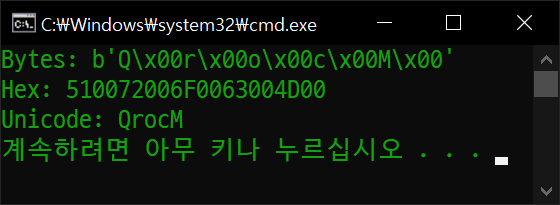
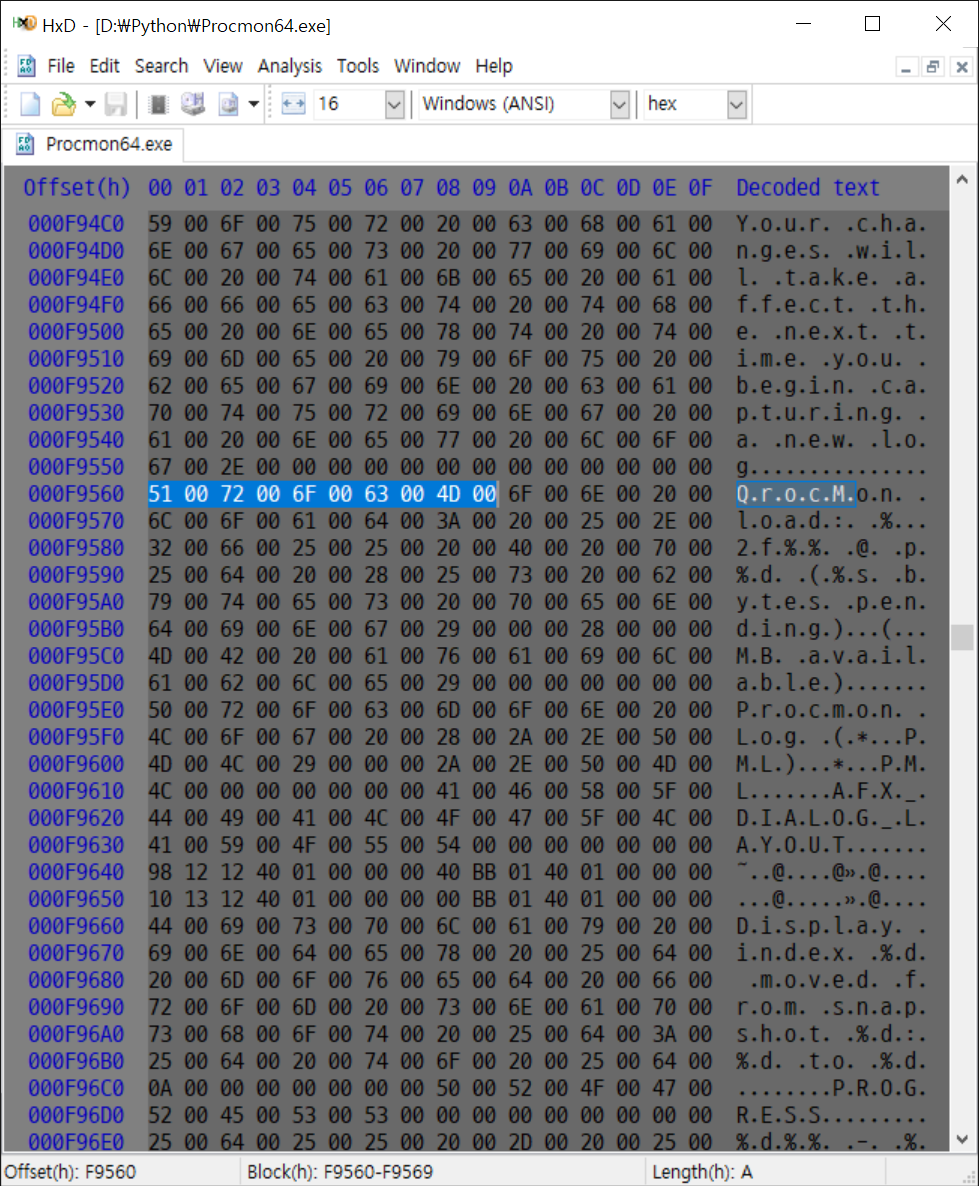
'ProcM'을 'QrocM'으로 바꿔보자.
문자열이 'QrocM'으로 바뀌었다.
파일을 직접 확인해 보자.
import binascii

file_name = "Procmon64.exe"
pattern = "ProcM"
byte_sequence = pattern.encode(encoding="utf-16le")

def find_all_bytes(file_name, byte_sequence):
    with open(file_name, 'rb') as f:
        file_content = f.read()  # 파일 전체를 바이트열로 읽어옵니다.

    occurrences = []
    start_index = 0
    while True:
        try:
            # find() 메서드는 일치하는 위치의 인덱스를 반환합니다.
            index = file_content.find(byte_sequence, start_index)
            if index == -1:
                break  # 더 이상 일치하는 패턴이 없으면 루프를 종료합니다.
            occurrences.append(hex(index).upper())
            start_index = index + len(byte_sequence)  # 다음 검색 시작 위치를 갱신합니다.
        except ValueError:
            break

    return occurrences

positions = find_all_bytes(file_name, byte_sequence)

print(f"문자열 {pattern}({byte_sequence.hex().upper()})이(가) 발견된 위치:")
for idx, pos in enumerate(positions):
    print(f"{idx+1}. 오프셋 [{pos}]에서 발견됨.")
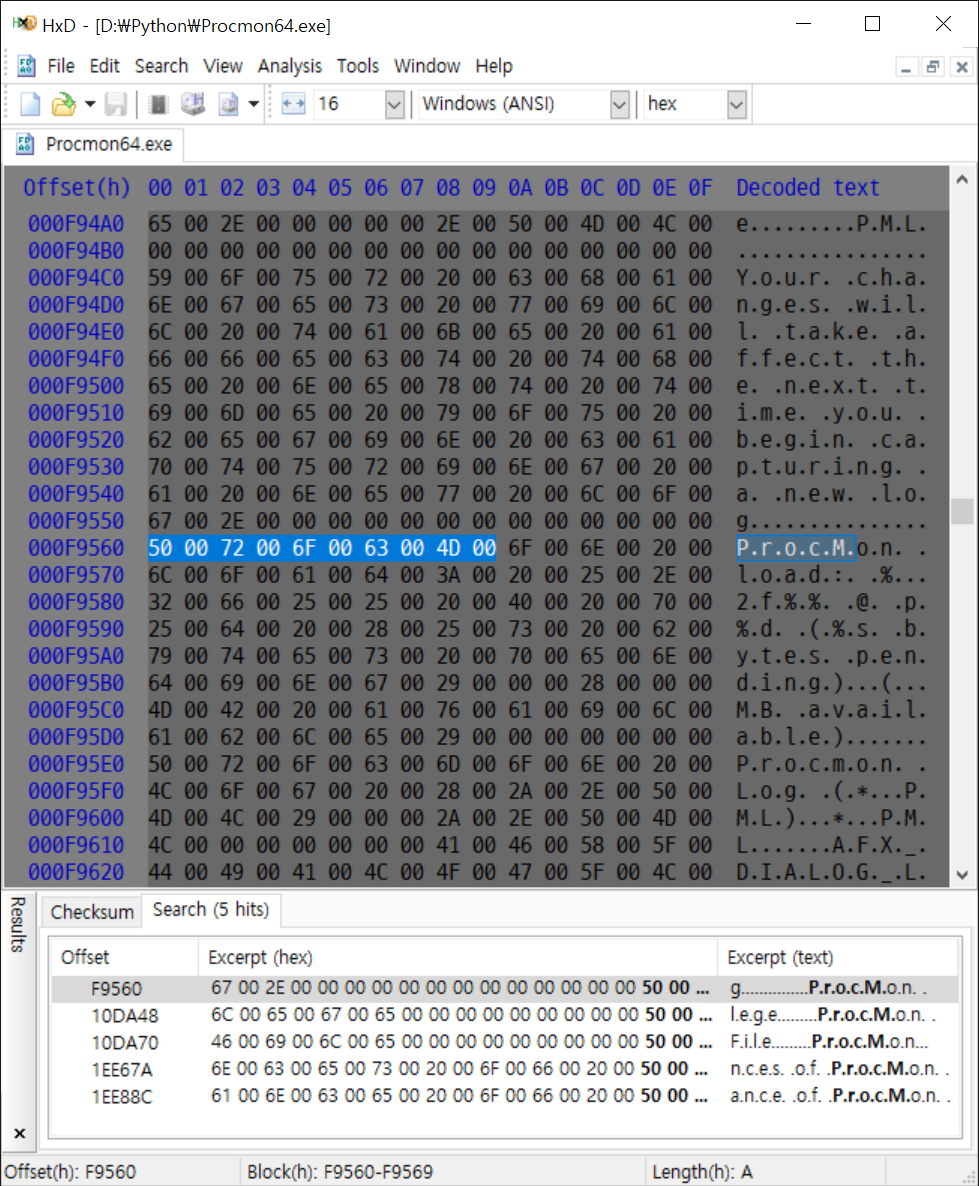
파일 전체에서 'ProcM' 문자열을 찾아보자.
5개의 'ProcM' 문자열이 발견되었다.
직접 확인해 보자. 5개의 같은 결과가 나온다.
import re

text = "The rain in Spain stays mainly in the plain.".encode(encoding="utf-16le")
print(f"UTF-16 Text: {text}")

matches = re.findall("ain".encode(encoding="utf-16le"), text)  # 대소문자 구분
print(matches)

matches = re.findall("Ain".encode(encoding="utf-16le"), text, re.IGNORECASE)  # 대소문자 무시
print(matches)
'PROCM', 'procm', 'Procm' 등 대소문자 구분없이 모든 문자열을 찾기 위해 파이썬 정규식 표현을 살펴보자.
코드 마지막에서 'Ain' 문자열을 대소문자 구분 없이 모두 찾았다.
import re

text = "The rain in Spain stays mainly in the plain.".encode(encoding="utf-16le")
pattern = "Ain".encode(encoding="utf-16le")
print(f"UTF-16 Text: {text}")
print(f"UTF-16 Pattern: {pattern}")

for idx, match in enumerate(re.finditer(pattern, text, re.IGNORECASE)):
    print(f"{idx+1}. {match.group()} found at byte offset: {match.start()}")
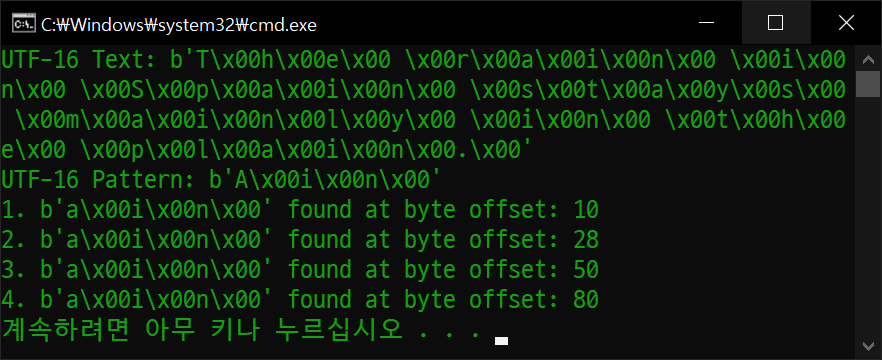
이번엔 finditer()로 문자열의 위치까지 정확히 찾아보자.
찾은 문자열의 위치가 표시된다. (문자 하나는 2바이트)
import binascii
import re

file_name = "Procmon64.exe"
pattern = "ProcM"
byte_sequence = pattern.encode(encoding="utf-16le")

with open(file_name, 'rb') as f:
    file_content = f.read()
    print(f"Searching for pattern: {pattern}")

    # Find all occurrences of the byte sequence in the file content
    for idx, match in enumerate(re.finditer(byte_sequence, file_content, re.IGNORECASE)):
        print(f"{idx+1:2}. {binascii.unhexlify(binascii.b2a_hex(match.group())).decode(encoding='utf-16', errors='ignore')} \
        found at byte offset: {hex(match.start()).upper()}")
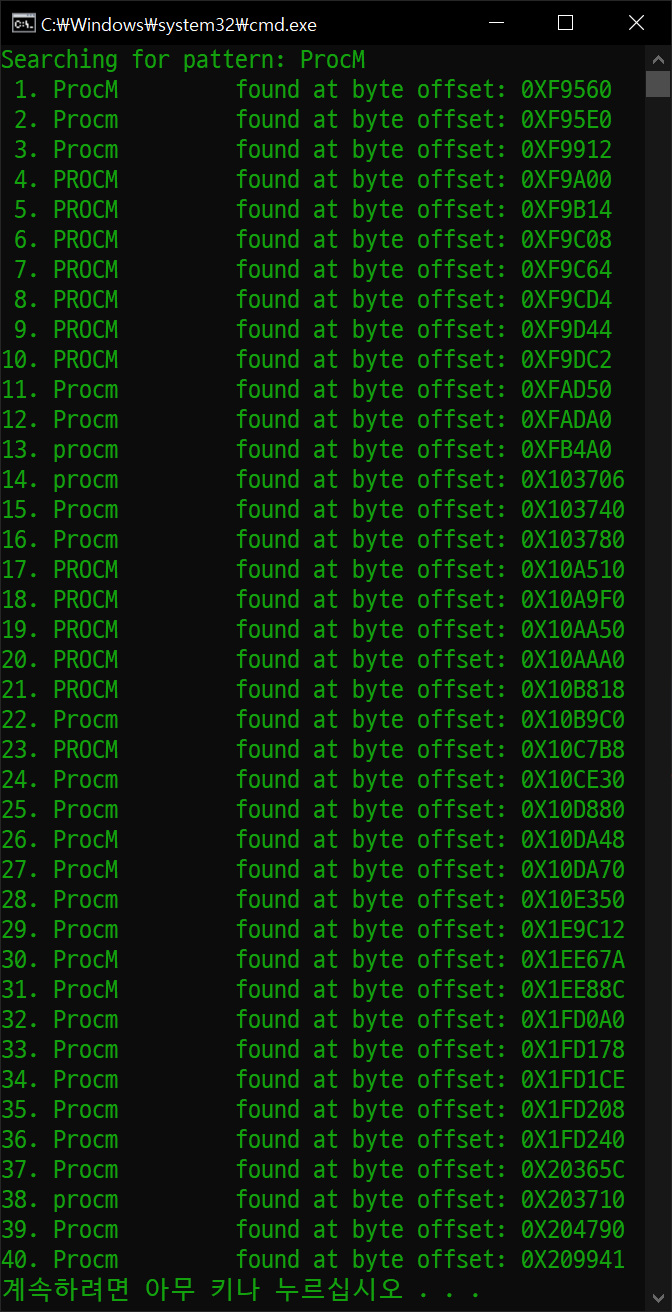
위 결과를 바탕으로 'ProcM' 문자열을 대소문자 구분 없이 찾아보자.
'ProcM' 문자열이 대소문자 구분없이 모두 찾아졌다.
직접 확인해 봐도 40개의 결과가 표시된다.
import binascii
import re

def replace_pattern_in_file(file_name, pattern, replacement):
    byte_sequence = pattern.encode(encoding="utf-16le")
    with open(file_name, 'r+b') as f:
        file_content = f.read()
        print(f"Searching for pattern: {pattern}")

        # Find all occurrences of the byte sequence in the file content
        # Case-sensitive search
        for idx, match in enumerate(re.finditer(byte_sequence, file_content)):
            print(f"{idx+1:2}. {binascii.unhexlify(binascii.b2a_hex(match.group())).decode(encoding='utf-16', errors='ignore')} found at byte offset: {hex(match.start()).upper()}")

            f.seek(match.start())
            f.write(replacement.encode(encoding="utf-16le"))
            print(f"   => Replaced with: {replacement} at byte offset: {hex(match.start()).upper()}")

file_name = "Procmon64.exe"
pattern = "ProcM"

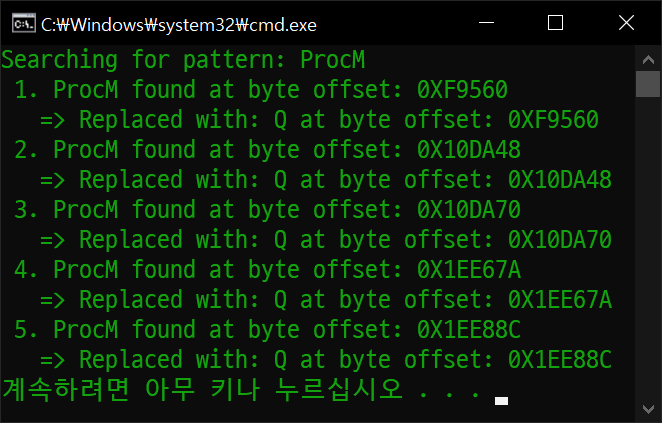
replace_pattern_in_file(file_name, pattern, "Q")