반응형

Python에서 로드한 OpenCV 데이터를 C++ DLL 함수로 처리해 보자.


C++ DLL 프로젝트를 만들고 OpenCV 라이브러리를 설정한 후 아래 코드를 빌드하고 DLL 파일을 만든다.


<Dll.h>

#pragma once
#include "opencv2/opencv.hpp"

extern "C" __declspec(dllexport) void cvt(uchar* srcData, int width, int height, int channels, int type);


<Dll.cpp>

#include "DllHeader.h"

extern "C" __declspec(dllexport) void cvt(uchar* srcData, int width, int height, int channels, int type)
{
	cv::Mat temp(height, width, type); // height, width, type 순이다.
	// Mat의 형식이 항상 일정하다면 temp를 전역 변수로 선언해 두고 사용하는게 효율적.
	temp.data = srcData; // 이미지 정보 포인터 변경.
	// 만약 temp를 전역변수로 둔다면 width, height, channels, type 정보도 필요 없다.
	cv::cvtColor(temp, temp, cv::COLOR_BGR2RGB); // 컬러 순서 변경.	
}


위 DLL 프로젝트를 빌드하고 생성된 DLL 파일을 파이썬 프로젝트에 넣는다.


<Python.py>

import cv2
import ctypes
import sys

clib = ctypes.windll.LoadLibrary('./Dll.dll')
# Dll.dll이 C++ OpenCV를 사용하므로 opencv_worldXXX.dll파일도 프로젝트 디렉토리에 있어야 한다.
cvt = clib.cvt # dll에 있는 cvt 함수
cvt.argtypes = (ctypes.POINTER(ctypes.c_ubyte), ctypes.c_int, ctypes.c_int, ctypes.c_int, ctypes.c_int) # cvt함수의 인수 타입 지정
cvt.restype = None # void 반환을 명시

image = cv2.imread("catsdogs.png")
height, width, channels = image.shape

if image.dtype == 'uint8' and image.flags['C_CONTIGUOUS'] == True:
	if channels == 1:
		image_type = cv2.CV_8UC1
	elif channels == 3:
		image_type = cv2.CV_8UC3		
	elif channels == 4:
		image_type = cv2.CV_8UC4
else:
	print("Image type is not uint8 or C_CONTIGUOUS")
	sys.exit(1)

#C_CONTIGUOUS: The data is in a single, C-style contiguous segment.
#https://numpy.org/doc/1.25/reference/generated/numpy.ndarray.flags.html
#print(image.flags)
#print(image.flags['C_CONTIGUOUS'])

data_pointer_as_c_char = ctypes.cast(image.ctypes.data, ctypes.POINTER(ctypes.c_ubyte))
# image.ctypes.data: 이미지의 데이터 위치를 가리키는 포인터
# c타입으로 포인터 변환.

cvt(data_pointer_as_c_char, width, height, channels, image_type)
# C dll에 있는 함수를 이용해 컬러 순서 변경.

cv2.imshow("image", image)
cv2.waitKey(0)

cv2.destroyAllWindows()


2023.12.17 - [Python] - Python C/C++ Library Wrapper 파이썬 C/C++ 라이브러리 연동


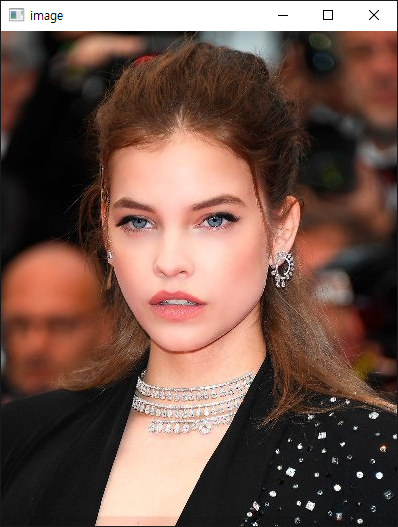
프로그램을 실행하면 컬러 채널의 순서가 바뀐다.


※ 참고

2026.02.18 - [OpenCV] - [OpenCV] C# 에서 C++ DLL 사용하기

2025.02.16 - [OpenCV] - C# and Python OpenCV Image Data Share (Memory Mapped File)

2025.02.23 - [OpenCV] - C and Python OpenCV Image Data Share (Memory Mapped File)


반응형
Posted by J-sean
:
반응형

C#에서 로드한 OpenCV 데이터를 C++ DLL 함수로 처리해 보자.

가장 효율적인 방법은 맨 아래 '가장 효율적인 방법'을 참고한다. 


C++ DLL 프로젝트를 만들고 OpenCV 라이브러리를 설정한 후 아래 코드를 빌드하고 DLL 파일을 만든다.


<Dll.h>

#pragma once
#include "opencv2/opencv.hpp"

extern "C" __declspec(dllexport) void cvt(uchar* srcData, int width, int height, int channels, int type);


<Dll.cpp>

#include "DllHeader.h"

extern "C" __declspec(dllexport) void cvt(uchar* srcData, int width, int height, int channels, int type)
{
	cv::Mat temp(height, width, type); // height, width, type 순이다.
	// Mat의 형식이 항상 일정하다면 temp를 전역 변수로 선언해 두고 사용하는게 효율적.
	memcpy(temp.data, srcData, width * height * channels); // 소스 데이터 복사.
	//cv::cvtColor(temp, temp, cv::COLOR_BGR2GRAY); 이건 컬러 채널이 (3채널에서 1채널로) 바뀌기 때문에 에러가 발생한다.
	cv::cvtColor(temp, temp, cv::COLOR_BGR2RGB); // 컬러 순서 변경.
	//cv::imshow("temp", temp);
	//cv::waitKey(0);
	memcpy(srcData, temp.data, width * height * channels); // 변경된 데이터를 소스에 복사.
}


더보기

좀 더 효율적인 <Dll.cpp>를 만들기 위해 memcpy()를 사용하지 않고 데이터 위치 포인터(srcData)를 그대로 대입한다.

#include "DllHeader.h"

extern "C" __declspec(dllexport) void cvt(uchar* srcData, int width, int height, int channels, int type)
{
	cv::Mat temp(height, width, type); // height, width, type 순이다.
	// Mat의 형식이 항상 일정하다면 temp를 전역 변수로 선언해 두고 사용하는게 효율적.
	temp.data = srcData; // 이미지 정보 포인터 변경.
	// 만약 temp를 전역변수로 둔다면 width, height, channels, type 정보도 필요 없다.
	cv::cvtColor(temp, temp, cv::COLOR_BGR2RGB); // 컬러 순서 변경.
}


아래 링크를 참고해 OpenCVSharp 프로젝트를 준비한다.

2021.11.20 - [OpenCV] - OpenCV with C#


using System;
using System.Drawing;
using System.Runtime.InteropServices;
using System.Windows.Forms;

using OpenCvSharp;

namespace OpenCVSharp
{
    public partial class Form1 : Form
    {
        // 위에서 만든 C++ DLL 파일을 프로젝트 디렉토리에 복사한다.
        // DLL 파일에서 C++용 OpenCV 라이브러리를 사용하므로 프로젝트 디렉토리에도
        // opencv_worldXXX.dll 파일이 있어야 한다.
        // 프로젝트 빌드시 AnyCPU가 아닌, DLL과 같은 아키텍쳐(x64)로 바꿔야 한다.
        
        [DllImport("Dll.dll")] // DLL 임포트.
        public extern static void cvt(IntPtr srcData, int width, int height, int channels, int type);

        public Form1()
        {
            InitializeComponent();
        }

        private void button1_Click(object sender, EventArgs e)
        {
            try
            {
                OpenFileDialog dlg = new OpenFileDialog();
                if (dlg.ShowDialog() == DialogResult.OK)
                {
                    Mat mat = Cv2.ImRead(dlg.FileName);

                    // DLL 함수 사용.
                    cvt(mat.Data, mat.Width, mat.Height, mat.Channels(), mat.Type().Value);

                    if (pictureBox1.Image != null)
                    {
                        pictureBox1.Image.Dispose();
                    }

                    // Mat to Bitmap
                    System.IO.MemoryStream memoryStream = new System.IO.MemoryStream(mat.ToBytes());
                    pictureBox1.Image = new Bitmap(memoryStream);
                }
            }
            catch (Exception exc)
            {
                MessageBox.Show(exc.Message);
            }
        }
    }
}


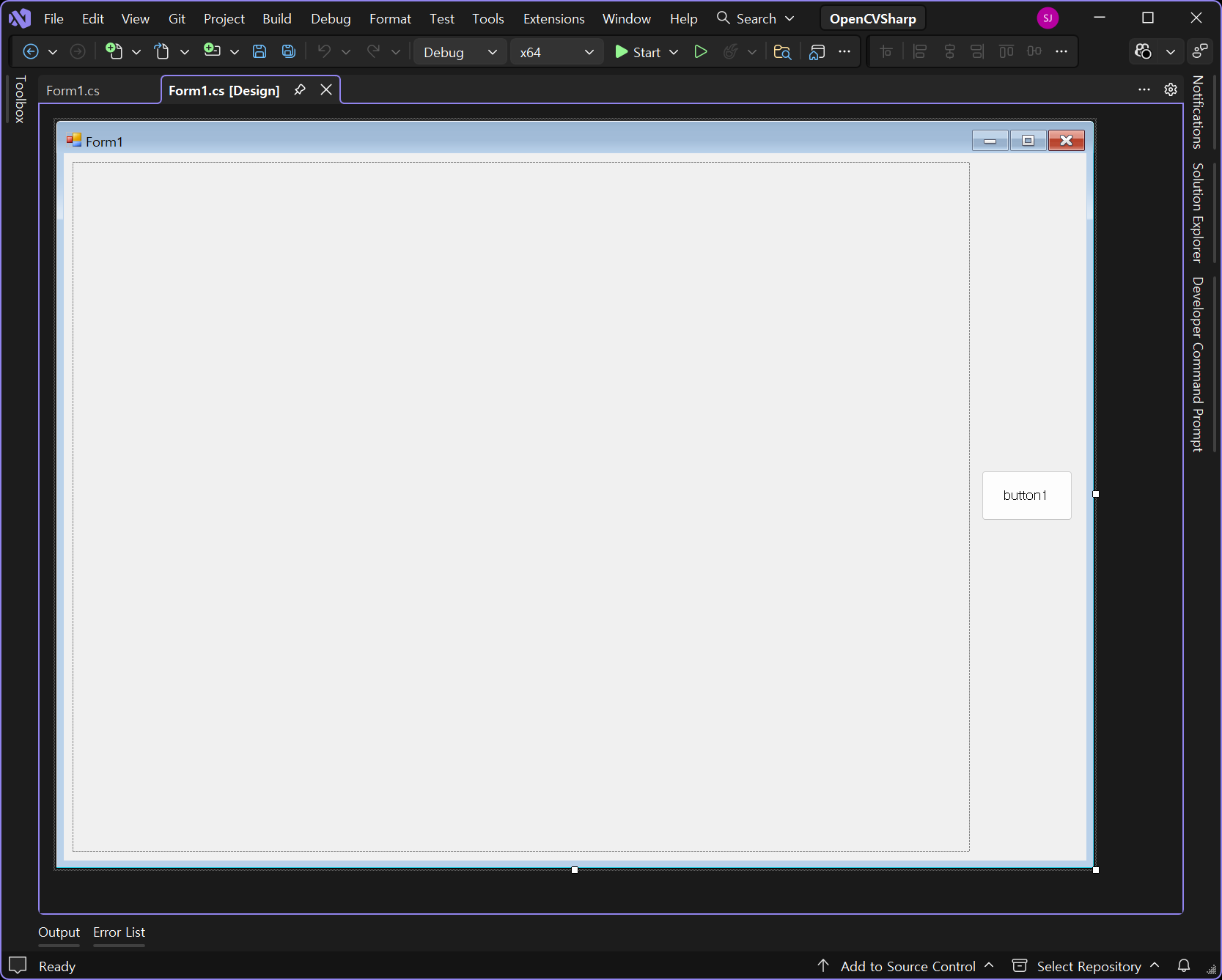
빌드 후 프로그램을 실행하면 컬러 채널의 순서가 바뀐다.


※ 참고

가장 효율적인 방법 (아래 더보기 클릭)

더보기

OpenCVSharp에서 사용하는 Mat과 C++ OpenCV에서 사용하는 Mat은 서로 다르지만 OpenCVSharp Mat.CvPtr 포인터에 C++ OpenCV Mat 구조체의 위치가 저장되어 있다. 이 구조체를 C++ 에서 그대로 사용할 수 있다.


 <Dll.h> 

#pragma once
#include "opencv2/opencv.hpp"

extern "C" __declspec(dllexport) void cvt(cv::Mat* mat);


<Dll.cpp> 

#include "DllHeader.h"

extern "C" __declspec(dllexport) void cvt(cv::Mat* mat)
{
	cv::cvtColor(*mat, *mat, cv::COLOR_BGR2RGB);
}


 <Form.cs>

using System;
using System.Drawing;
using System.Runtime.InteropServices;
using System.Windows.Forms;

using OpenCvSharp;

namespace OpenCVSharp
{
    public partial class Form1 : Form
    {
        // 위에서 만든 C++ DLL 파일을 프로젝트 디렉토리에 복사한다.
        // DLL 파일에서 C++용 OpenCV 라이브러리를 사용하므로 프로젝트 디렉토리에도
        // opencv_worldXXX.dll 파일이 있어야 한다.
        // 프로젝트 빌드시 AnyCPU가 아닌, DLL과 같은 아키텍쳐(x64)로 바꿔야 한다.
        
        [DllImport("Dll.dll")] // DLL 임포트.
        public extern static void cvt(IntPtr mat);

        public Form1()
        {
            InitializeComponent();
        }

        private void button1_Click(object sender, EventArgs e)
        {
            try
            {
                OpenFileDialog dlg = new OpenFileDialog();
                if (dlg.ShowDialog() == DialogResult.OK)
                {
                    Mat mat = Cv2.ImRead(dlg.FileName);
                    
                    // DLL 함수 사용. Mat.CvPtr: Native pointer of OpenCV structure.
                    cvt(mat.CvPtr);

                    if (pictureBox1.Image != null)
                    {
                        pictureBox1.Image.Dispose();
                    }

                    // Mat to Bitmap
                    System.IO.MemoryStream memoryStream = new System.IO.MemoryStream(mat.ToBytes());
                    pictureBox1.Image = new Bitmap(memoryStream);
                }
            }
            catch (Exception exc)
            {
                MessageBox.Show(exc.Message);
            }
        }
    }
}


※ 참고

2026.02.19 - [OpenCV] - [OpenCV] Python 에서 C++ DLL 사용하기

2025.02.16 - [OpenCV] - C# and Python OpenCV Image Data Share (Memory Mapped File)

2025.02.23 - [OpenCV] - C and Python OpenCV Image Data Share (Memory Mapped File)


반응형
Posted by J-sean
:
반응형

OpenCV에는 컴퓨터에 연결된 카메라를 검색하거나 구분할 수 있는 기능이 없다.

Device Enumerator를 사용해 카메라를 구분해 보자.


DeviceEnumerator.h
0.00MB
DeviceEnumerator.cpp
0.00MB


#include <map>
#include <iostream>

#include "DeviceEnumerator.h"

int main()
{
	/*
		The id field of the Device struct can be used with an OpenCV VideoCapture object
	*/

	DeviceEnumerator de;

	// Audio Devices
	std::map<int, Device> devices = de.getAudioDevicesMap();
	std::cout << "Number of Audio Devices: " << devices.size() << std::endl;

	// Print information about the devices
	for (auto const &device : devices) {
		std::cout << "== AUDIO DEVICE (id:" << device.first << ") ==" << std::endl;
		std::cout << "Name: " << device.second.deviceName << std::endl;
		std::cout << "Path: " << device.second.devicePath << std::endl;
	}

	// Video Devices
	devices = de.getVideoDevicesMap();
	std::cout << "Number of Video Devices: " << devices.size() << std::endl;

	// Print information about the devices
	for (auto const &device : devices) {
		std::cout << "== VIDEO DEVICE (id:" << device.first << ") ==" << std::endl;
		std::cout << "Name: " << device.second.deviceName << std::endl;
		std::cout << "Path: " << device.second.devicePath << std::endl;
	}
}


getAudioDevicesMap()은 마이크가 연결되어 있어야 표시되는 것 같다. (확인은 안해봄)


반응형
Posted by J-sean
:
반응형

Python MSS 라이브러리로 화면을 캡쳐하고 OpenCV로 표시해 보자.

(더 많은 예는 여기서 확인한다)


import numpy as np
import cv2
from mss import mss

with mss() as sct:
	# Part of the screen to capture
    monitor = {"top": 40, "left": 0, "width": 800, "height": 640}
    while True:
        img = np.array(sct.grab(monitor))
        cv2.imshow("img", img)
        if cv2.waitKey(1) & 0xFF == ord("q"):
            cv2.destroyAllWindows()
            break


거의 실시간으로 굉장히 빠르게 처리한다.


※ 참고

MSS Documentation


반응형
Posted by J-sean
:

보호되어 있는 글입니다.
내용을 보시려면 비밀번호를 입력하세요.

IP Camera ONVIF Protocol

OpenCV 2025. 3. 1. 10:24 |
반응형


ONVIF 프로토콜을 지원하는 IP 카메라를 사용해 보자.

(아래 내용은 저렴한 IP Camera를 사용한 예이다. HikVision Camera도 같은 코드로 사용 가능 하지만 저렴한 카메라와 다르게 에러나 노이즈가 거의 없다)


※ 참고

HikVision Camera RTSP Stream

HikVision FAQ


1
2
3
4
5
6
7
8
9
10
11
12
13
14
15
16
17
18
19
20
21
22
23
24
25
26
27
28
29
30
31
32
33
34
import cv2
 
#capture = cv2.VideoCapture(0, cv2.CAP_DSHOW)
# 노트북에 연결된 카메라는 대부분 cv2.CAP_DSHOW 옵션이 필요 없지만
# 데스크탑에 USB로 연결된 카메라 사용시에는 cv2.CAP_DSHOW 옵션이 필요 할 수 있다.
 
#cap = cv2.VideoCapture('rtsp://admin:@192.168.0.44')
# NVR 사용
 
cap = cv2.VideoCapture('rtsp://admin:123456@192.168.0.161:554/stream0')
# NVR 없이 카메라만 연결 Sub Stream
# 형식: rtsp://[ID]:[PW]@[IP주소]:[PORT번호]/[기타설정]
 
#cap = cv2.VideoCapture('rtsp://admin:123456@192.168.0.161:554/stream1')
# NVR 없이 카메라만 연결 Main Stream
 
# 카메라 Configure - Stream manager - Video Setting - Encoding Format 에서
# H265 로 설정하면 아래와 같은 에러 메세지가 발생한다.
# [hevc @ 0000024133eada80] PPS id out of range: 0
# H264 로 설정하면 괜찮다. 특정 카메라에서만 이런 현상이 나타날 수도 있다.
 
if not cap.isOpened():
    print("Not opened")
    exit()
 
while cv2.waitKey(1< 0:
    ret, frame = cap.read()
    if not ret:
        print("False returned")
        exit()
    cv2.imshow("video", frame)
 
cap.release()
cv2.destroyAllWindows()


HikVision Camera RTSP Stream Setting

RTSP without Authentication (NVR/DVR/IPC/Encoder)
rtsp://<IP address of device>:<RTSP port>/Streaming/channels/<channel number><stream number>
RTSP with Authentication
rtsp://<username>:<password>@<IP address of device>:<RTSP port>/Streaming/channels/<channel number><stream number>
NOTE: <stream number> represents main stream (01), or the sub stream (02)
Example:
rtsp://192.168.0.100:554/Streaming/channels/101 – get the main stream of the 1st channel
rtsp://192.168.0.100:554/Streaming/channels/102 – get the sub stream of the 1st channel


만약 Sub Stream(Stream0)이 아닌 Main Stream(Stream1)을 사용하면 영상은 큰 문제 없이 계속 출력되지만 아래와 같은 에러 메세지가 계속 나타난다. (Sub Stream에서도 종종 에러가 발생하기도 했다)


이런 에러 때문인지는 모르겠지만 OpenCV에서 rtsp를 이용해 출력한 영상은 카메라에서 자체 지원하는 웹뷰 등을 이용해 확인한 영상보다 노이즈가 심하다.


1
2
3
4
5
6
7
8
9
10
11
12
13
14
15
16
17
18
19
20
21
22
23
24
25
26
27
28
29
30
31
32
33
34
35
36
37
38
39
40
41
42
43
44
45
46
47
48
import queue
import threading
import cv2
 
q=queue.Queue()
stop = False
 
def Receive():
    print("start Reveiving")
    
    cap = cv2.VideoCapture('rtsp://admin:123456@192.168.0.161:554/stream0')
    if not cap.isOpened():
        print("Not opened")
        exit()
    
    global stop
    ret = True
    while ret and not stop:
        ret, frame = cap.read()
        lock.acquire()
        if not ret:
            print("False returned")
            continue
        q.put(frame)
        lock.release()
    
    cap.release()
    cv2.destroyAllWindows()
 
def Display():
     print("Start Displaying")
 
     global stop
     while cv2.waitKey(1< 0:
         lock.acquire()
         if not q.empty():
             frame=q.get()
             cv2.imshow("stream", frame)
         lock.release()
     stop = True
 
if __name__ == '__main__':
    lock = threading.Lock()
    
    t1 = threading.Thread(target = Receive)
    t2 = threading.Thread(target = Display)
    t1.start()
   t2.start()


영상을 받아오는 부분과 출력하는 부분을 다른 스레드로 구분하고 각각의 스레드에서 영상에 접근할때 충돌을 방지하기 위해 Primitive Lock을 사용해 봤지만 별 효과는 없다.

오히려 Main Stream(Stream1)에서 Sub Stream(Stream0)으로 바꿔 영상의 크기를 줄이는게 에러 확률을 크게 낮추었다.


카메라 Video Setting 에서 위와 같이 바꾸는 것도 에러 확률을 크게 낮추었다.

● Resolution: 1920X1080 => 1280X720

● Quality: Good => Worst 

Frame Rate, Max Bitrate는 별 영향이 없었다.


Packet Loss가 있어서 그런건지도 모르겠다.

stackoverflow


반응형
Posted by J-sean
:
반응형

C와 Python 프로그램간 이미지 데이터를 공유해 보자.


1) 파이썬 프로그램 데이터를 C 프로그램에 공유

mmap


1
2
3
4
5
6
7
8
9
10
11
12
13
14
15
16
17
import time
import mmap
import cv2
 
frame = cv2.imread("image.jpg", cv2.IMREAD_COLOR)
h, w, c = frame.shape
buffer_size = h * w * c
 
mm = mmap.mmap(-1, buffer_size, "Local\\MySharedMemory")
 
try:
    mm.write(frame.tobytes())
 
    while True:
        time.sleep(1000)  # Sleep to prevent busy waiting.
finally:
    mm.close()


1
2
3
4
5
6
7
8
9
10
11
12
13
14
15
16
17
18
19
20
21
22
23
24
25
26
27
28
29
30
31
32
33
34
35
36
37
38
39
#include <opencv2/opencv.hpp>
#include <Windows.h>
 
int main() {
    int height = 495;
    int width = 396;
    int channels = 3;
    int buffersize = height * width * channels;
 
    byte* buffer = new byte[buffersize];
    memset(buffer, 0, buffersize);
 
    HANDLE hFMap = CreateFileMapping(INVALID_HANDLE_VALUE, NULL, PAGE_READWRITE, 0, buffersize, L"MySharedMemory");
    if (hFMap == NULL)
        return -1;
 
    TCHAR* PtrInFile = (TCHAR*)MapViewOfFile(hFMap, FILE_MAP_ALL_ACCESS, 00, buffersize);
    if (PtrInFile == NULL)
        return -1;
 
    memcpy(buffer, PtrInFile, buffersize);
 
    cv::Mat image = cv::Mat(height, width, CV_8UC3, buffer);
    if (image.empty())
        return -1;
 
    // 사용할 Mat이 이미 존재한다면 아래처럼 memcpy()를 사용할 수도 있다.
    //cv::Mat image(height, width, CV_8UC3); // 이미 존재하는 Mat
    //memcpy(image.data, buffer, buffersize); // buffer 사용하지 않고 메모리에서 image.data로 직접 복사해도 된다.
 
    cv::imshow("image", image);
    cv::waitKey(0);
        
    UnmapViewOfFile(PtrInFile);
    CloseHandle(hFMap);
    delete[] buffer;
 
    return 0;
}


파이썬 프로그램을 먼저 실행하고 C 프로그램을 실행한다.


2) C 프로그램 데이터를 파이썬 프로그램에 공유


1
2
3
4
5
6
7
8
9
10
11
12
13
14
15
16
17
18
19
20
21
22
23
24
25
26
27
28
29
30
31
32
33
#include <opencv2/opencv.hpp>
#include <Windows.h>
 
int main() {
    cv::Mat image = cv::imread("image.jpg");
    if (image.empty())
        return -1;
 
    int height = image.rows;
    int width = image.cols;
    int channels = image.channels();
    int buffersize = height * width * channels;
 
    HANDLE hFMap = CreateFileMapping(INVALID_HANDLE_VALUE, NULL, PAGE_READWRITE, 0, buffersize, L"MySharedMemory");
    if (hFMap == NULL)
        return -1;
 
    TCHAR* PtrInFile = (TCHAR*)MapViewOfFile(hFMap, FILE_MAP_ALL_ACCESS, 00, buffersize);
    if (PtrInFile == NULL)
        return -1;
 
    memcpy(PtrInFile, image.data, buffersize);
    // 버퍼를 사용하지 않고 바로 메모리에 데이터 복사.
        
    int a;
    std::cin >> a;
    // 대기
 
    UnmapViewOfFile(PtrInFile);
    CloseHandle(hFMap);
    
    return 0;
}


1
2
3
4
5
6
7
8
9
10
11
12
13
14
15
16
17
18
19
20
21
import mmap
import numpy as np
import cv2
 
height = 495
width = 396
channels = 3
buffer_size = height * width * channels
 
mm = mmap.mmap(-1, buffer_size, "Local\\MySharedMemory")
 
try:    
    buffer = mm.read(buffer_size)
    image_arr = np.frombuffer(buffer, np.ubyte)
    image = image_arr.reshape(height, width, channels)
    
    cv2.imshow("image", image)
    cv2.waitKey(0)
finally:
    mm.close()
    cv2.destroyAllWindows()


결과는 같다.


※ 참고

2025.02.16 - [OpenCV] - C# and Python OpenCV Image Data Share (Memory Mapped File)

2026.02.18 - [OpenCV] - [OpenCV] C# 에서 C++ DLL 사용하기

2026.02.19 - [OpenCV] - [OpenCV] Python 에서 C++ DLL 사용하기


반응형
Posted by J-sean
:
반응형

C#과 Python 프로그램간 이미지 데이터를 공유해 보자.


1) Python 프로그램 데이터를 C# 프로그램에 공유.

mmap


1
2
3
4
5
6
7
8
9
10
11
12
13
14
15
16
17
18
19
20
21
22
23
24
25
26
27
28
import time
import mmap
import cv2
 
frame = cv2.imread("image.jpg", cv2.IMREAD_COLOR)
h, w, c = frame.shape
buffer_size = h * w * c
 
# 3개의 4바이트(12바이트) 데이터를 위한 추가 공간 확보
#buffer_size = h * w * c + 12
 
# Open a memory-mapped file.
mm = mmap.mmap(-1, buffer_size, "Local\\MySharedMemory")
 
try:
    # 만약 3개의 4바이트 데이터를 저장하고 싶다면 아래와
    # 같이 한다.
    #mm.write(h.to_bytes(4))
    #mm.write(w.to_bytes(4))
    #mm.write(c.to_bytes(4))
 
    mm.write(frame.tobytes())
    
    # Keep the Python script running for demonstration.
    while True:
        time.sleep(1000)  # Sleep to prevent busy waiting.
finally:
    mm.close()


1
2
3
4
5
6
7
8
9
10
11
12
13
14
15
16
17
18
19
20
21
22
23
24
25
26
27
28
29
30
31
32
33
34
35
36
37
38
39
40
41
42
43
44
45
46
47
48
49
50
51
52
53
54
55
56
57
58
59
60
61
62
using OpenCvSharp;
using System.IO.MemoryMappedFiles;
using System.Runtime.InteropServices;
 
public class Program
{
    public static void Main()
    {
        int width = 396;
        int height = 495;
        int channels = 3;
 
        using (MemoryMappedFile mmf = MemoryMappedFile.OpenExisting("MySharedMemory"))
        {
            using (MemoryMappedViewAccessor accessor = mmf.CreateViewAccessor())
            {
                byte[] buffer = new byte[width * height * channels];
                accessor.ReadArray(0, buffer, 0, buffer.Length);
 
                // 만약 buffer 앞 부분에 3개의 4바이트 int 데이터가 저장되어 있다면 아래와 같이 읽는다.
                // (물론 위에서 buffer[] 생성시 12바이트의 추가 공간 확보가 필요하다)
                //int h = ((buffer[0] << 24) +  (buffer[1] << 16) + (buffer[2] << 8) + (buffer[3]));
                //Console.WriteLine(h);
                //int w = ((buffer[4] << 24) + (buffer[5] << 16) + (buffer[6] << 8) + (buffer[7]));
                //Console.WriteLine(w);
                //int c = ((buffer[8] << 24) + (buffer[9] << 16) + (buffer[10] << 8) + (buffer[11]));
                //Console.WriteLine(c);
 
                // When buffer[] represents encoded image data (ex. JPEG, PNG, etc.), you can use
                // FromImageData or ImDecode.
                //buffer = System.IO.File.ReadAllBytes("image.jpg");
                //Mat mat = Mat.FromImageData(buffer, ImreadModes.Color);                
                //Mat mat = Cv2.ImDecode(buffer, ImreadModes.Color);
 
                // When buffer[] represens pixel data (BGRBGR...) , you need to hard-code copying operation.
                //Mat mat = new Mat(height, width, MatType.CV_8UC3);
                //Mat.Indexer<Vec3b> indexer = mat.GetGenericIndexer<Vec3b>();
                //for (int y = 0; y < height; y++)
                //{
                //    for (int x = 0; x < width; x++)
                //    {
                //        int pos = y * width * channels + x * channels;
                //        byte blue = buffer[pos + 0];
                //        byte green = buffer[pos + 1];
                //        byte red = buffer[pos + 2];
                //        Vec3b newValue = new Vec3b(blue, green, red);
                //        indexer[y, x] = newValue;
                //    }
                //}
 
                // If buffer[]'s step length is equal to the Mat's, there is a more effective way.
                Mat mat = new Mat(height, width, MatType.CV_8UC3);
                int length = height * width * channels;
                Marshal.Copy(buffer, 0, mat.Data, length);
 
                Cv2.ImShow("image", mat);
                Cv2.WaitKey(0);
                Cv2.DestroyAllWindows();
            }
        }
    }
}


Python 프로그램을 먼저 실행하고 C# 프로그램을 실행한다.


2) C# 프로그램 데이터를 Python 프로그램에 공유.


1
2
3
4
5
6
7
8
9
10
11
12
13
14
15
16
17
18
19
20
21
22
23
24
25
26
27
28
29
using System;
using System.IO.MemoryMappedFiles;
using System.Runtime.InteropServices;
using OpenCvSharp;
 
public class Program
{
    public static void Main()
    {   
        Mat image = Cv2.ImRead("image.jpg", ImreadModes.Color);
        int width = image.Width;
        int height = image.Height;
        int channels = image.Channels();
        int buffer_size = width * height * channels;
 
        using (MemoryMappedFile mmf = MemoryMappedFile.CreateNew("MySharedMemory", buffer_size))
        {
            using (MemoryMappedViewAccessor accessor = mmf.CreateViewAccessor())
            {
                byte[] buffer = new byte[buffer_size];
                Marshal.Copy(image.Data, buffer, 0, buffer_size);
                accessor.WriteArray<byte>(0, buffer, 0, buffer_size);
            }
            
            Console.WriteLine("waiting...");
            Console.ReadLine();
        }        
    }
}


1
2
3
4
5
6
7
8
9
10
11
12
13
14
15
16
17
18
19
20
21
import mmap
import numpy as np
import cv2
 
height = 495
width = 396
channels = 3
buffer_size = height * width * channels
 
mm = mmap.mmap(-1, buffer_size, "Local\\MySharedMemory")
 
try:    
    buffer = mm.read(buffer_size)
    image_arr = np.frombuffer(buffer, np.ubyte)
    image = image_arr.reshape(height, width, channels)
    
    cv2.imshow("image", image)
    cv2.waitKey(0)
finally:
    mm.close()
    cv2.destroyAllWindows()


결과는 같다.


※ 참고

2025.02.23 - [OpenCV] - C and Python OpenCV Image Data Share (Memory Mapped File)

2026.02.18 - [OpenCV] - [OpenCV] C# 에서 C++ DLL 사용하기

2026.02.19 - [OpenCV] - [OpenCV] Python 에서 C++ DLL 사용하기


반응형
Posted by J-sean
: