


[C++] Multi Thread & Mutex 멀티 스레드 & 뮤텍스
C, C++ 2026. 2. 17. 11:39 |반응형
간단한 멀티 스레드와 뮤텍스 사용 예를 확인해 보자.
뮤텍스를 사용하지 않은 멀티스레드.
#include <iostream>
#include <thread>

void counter(int id, int max) {
	for (int i = 0; i < max; i++) {
		std::cout << "id: " << id << ", : " << i << std::endl;
		std::this_thread::sleep_for(std::chrono::seconds(1));	// 1초 대기
	}
}

int main() {
	std::thread t1(counter, 1, 10);
	std::thread t2(counter, 2, 10);

	t1.join();
	t2.join();

	return 0;
}
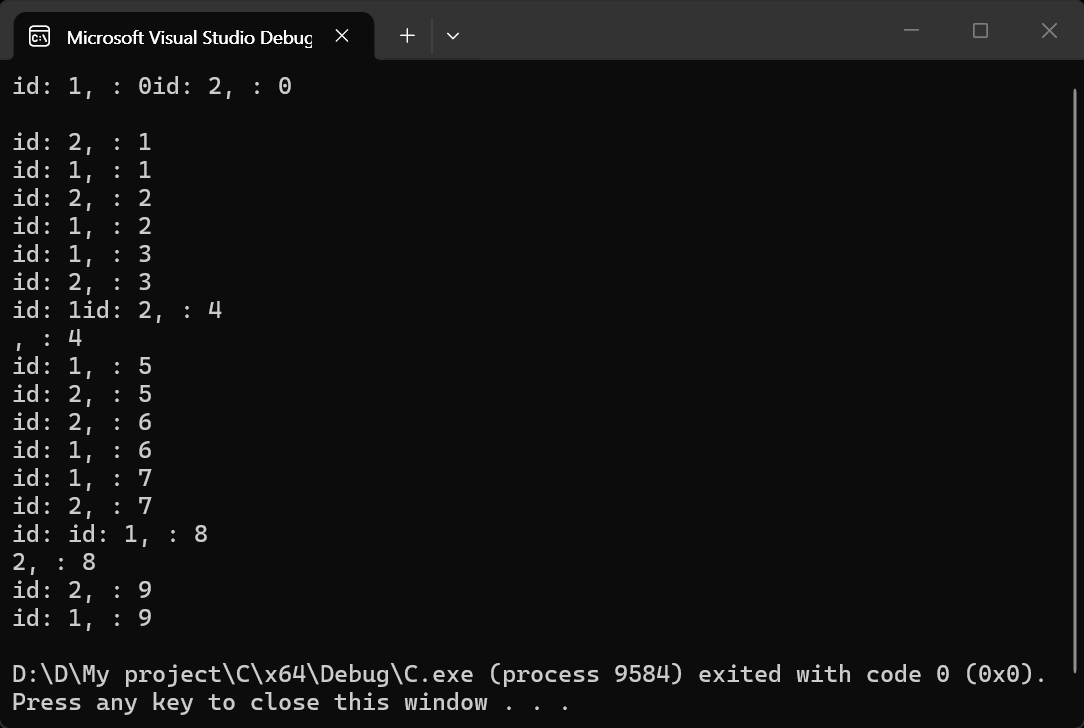
뮤텍스를 사용한 멀티스레드.
#include <iostream>
#include <thread>
#include <mutex>

std::mutex m;

void counter(int id, int max) {
	for (int i = 0; i < max; i++) {
		m.lock();
		std::cout << "id: " << id << ", : " << i << std::endl;
		m.unlock();
		std::this_thread::sleep_for(std::chrono::seconds(1));
	}
}

int main() {
	std::thread t1(counter, 1, 10);
	std::thread t2(counter, 2, 10);

	t1.join();
	t2.join();

	return 0;
}
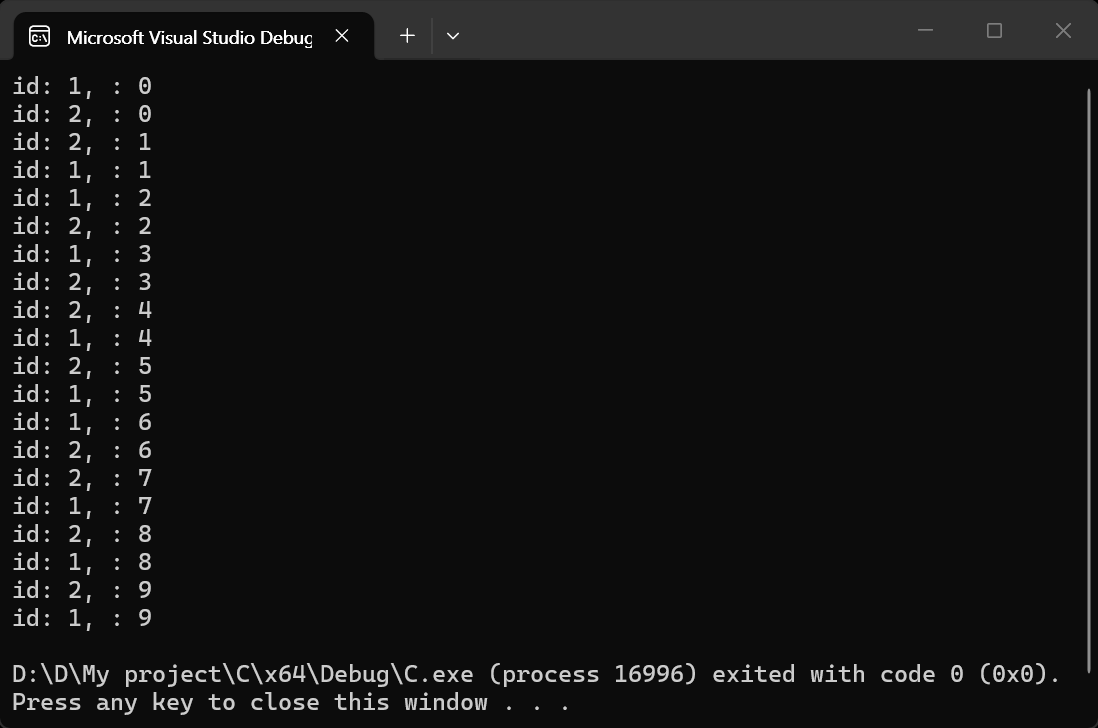
하지만 위 코드에 나오는 뮤텍스의 lock(), unlock()를 직접 호출하면 안 된다. 뮤텍스 락은 일종의 리소스이기 때문에 거의 대부분 RAII 원칙에 따라 독점적으로 획득된다. 뮤텍스에 락을 정확히 걸거나 해제하는 작업을 쉽게 처리할 수 있는 lock_guard, unique_lock 등의 락 클래스를 사용하자.
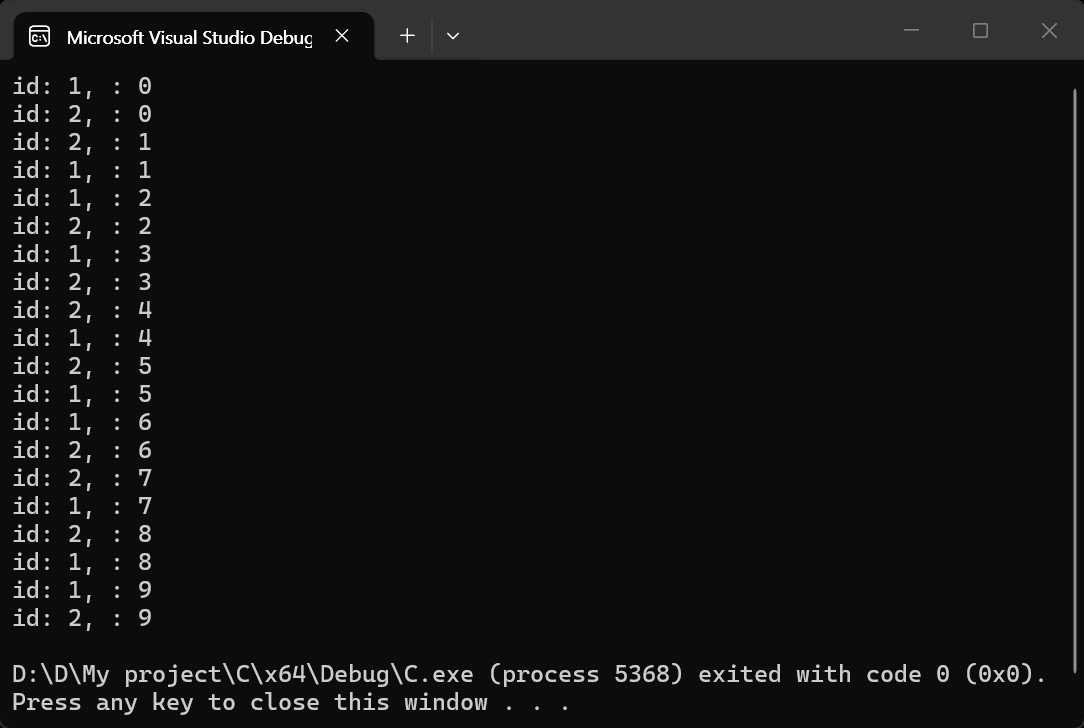
lock_guard를 사용한 뮤텍스 멀티 스레드.
#include <iostream>
#include <thread>
#include <mutex>

std::mutex m;

void counter(int id, int max) {
	for (int i = 0; i < max; i++) {
		{
			// 락이 필요한 블럭
			std::lock_guard lock(m);
			std::cout << "id: " << id << ", : " << i << std::endl;
		}
		std::this_thread::sleep_for(std::chrono::seconds(1));
	}
}

int main() {
	std::thread t1(counter, 1, 10);
	std::thread t2(counter, 2, 10);

	t1.join();
	t2.join();

	return 0;
}
반응형
'C, C++' 카테고리의 다른 글
| [OpenMP] Parallel Programming Simple Example 병렬 프로그래밍 간단한 예제 (0) | 2026.05.01 |
|---|---|
| [C++] Memory Leak Detection 메모리 누수 감지 (0) | 2026.04.16 |
| Detect Windows Display Scale Factor 윈도우 배율 확인 (0) | 2025.12.22 |
| 명령창(cmd)을 열지 않고 명령 실행하고 결과 받아오기 popen(pipe open), pclose(pipe close) (0) | 2025.04.14 |
| Qt platform plugin error fix (0) | 2021.09.26 |