


[wxWidgets] wxFormBuiler XRC 파일 사용하기
C, C++ 2026. 5. 3. 21:21 |반응형
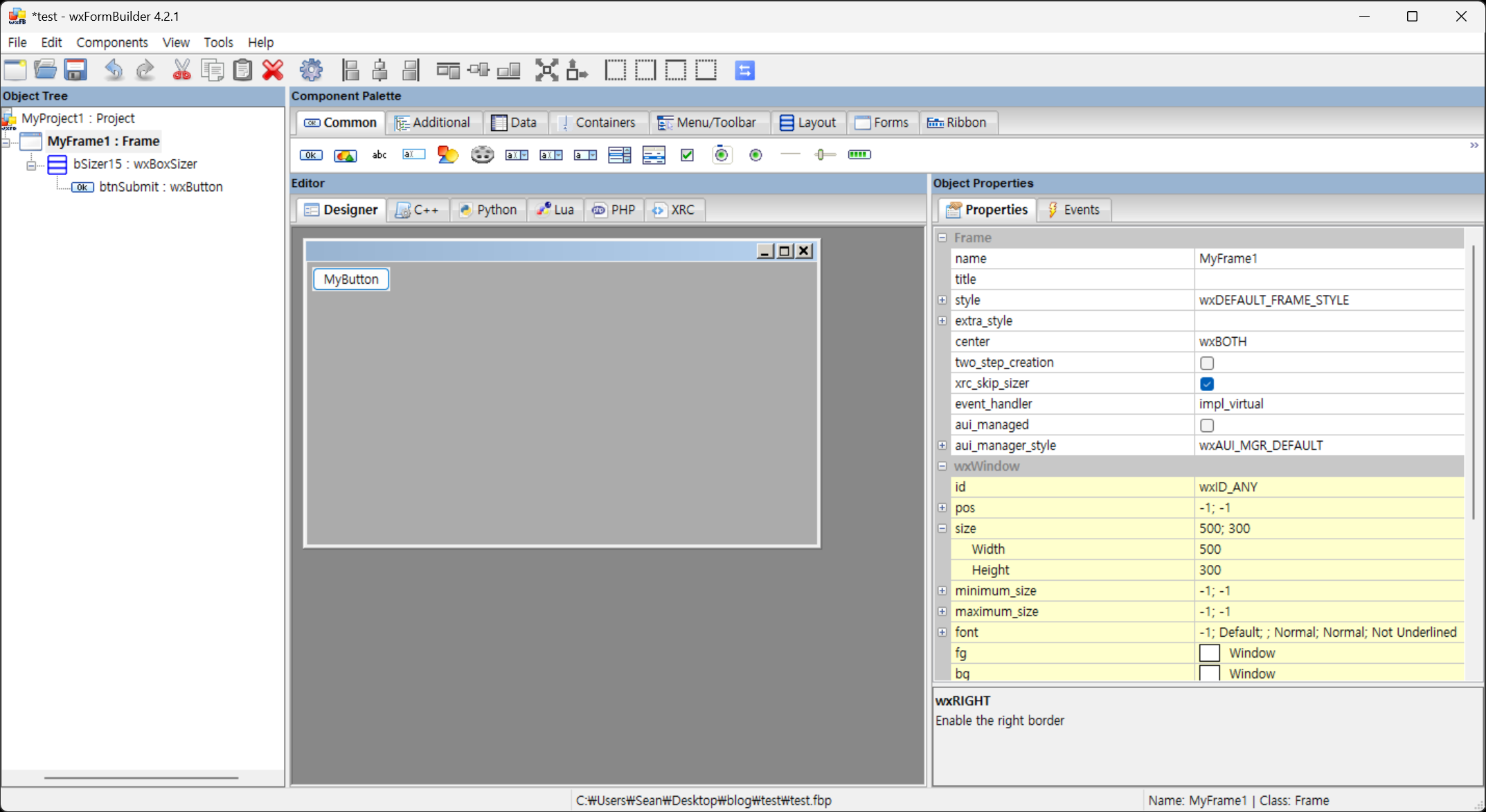
wxFormBuilder로 만든 XRC 파일을 사용해 보자.

#include <wx/wx.h>
#include <wx/xrc/xmlres.h>

#ifdef _DEBUG
#pragma comment(lib, "wxbase33ud_xml.lib")
#pragma comment(lib, "wxmsw33ud_xrc.lib")
#else
#pragma comment(lib, "wxbase33u_xml.lib")
#pragma comment(lib, "wxmsw33u_xrc.lib")
#endif

class MyApp : public wxApp {
public:
	bool OnInit() override;
};

wxIMPLEMENT_APP(MyApp);

class MyFrame : public wxFrame
{
public:
	MyFrame();
private:
	void OnButtonClicked(wxCommandEvent& event);
};

MyFrame::MyFrame() {
	// XRC 리소스 로드
	wxXmlResource::Get()->Load(wxT("gui.xrc")); // 생성한 xrc 파일명
	// Frame 로드
	wxXmlResource::Get()->LoadFrame(this, nullptr, wxT("MyFrame1")); // wxFormBuilder에서 설정한 Frame 이름
	// 컨트롤 바인딩 (이벤트 처리용)
	wxButton* button = static_cast<wxButton*>(FindWindowByName(wxT("btnSubmit"))); // wxFormBuilder에서 설정한 버튼 이름
	if (button) {
		button->Bind(wxEVT_BUTTON, &MyFrame::OnButtonClicked, this);
	}
}

void MyFrame::OnButtonClicked(wxCommandEvent& event) {
	wxMessageBox(wxT("Hello from XRC!"));
}

bool MyApp::OnInit() {
	wxInitAllImageHandlers();
	wxXmlResource::Get()->InitAllHandlers(); // XRC 핸들러 초기화

	MyFrame* frame = new MyFrame();
	frame->Show(true);
	return true;
}

※ 참고
반응형
'C, C++' 카테고리의 다른 글
| [wxWidgets] wxCharts 차트 그리기 (0) | 2026.05.04 |
|---|---|
| [wxWidgets] Window Handle & Titlebar Icon 윈도우 핸들 구하기 및 타이틀바 아이콘 바꾸기 (0) | 2026.05.04 |
| [wxWidgets] Build and Simple Example 빌드와 간단한 예제 (feat.OpenCV) (0) | 2026.05.03 |
| [C++] Linear Interpolation (Lerp) 선형보간 (0) | 2026.05.02 |
| [C++] deque 덱 (0) | 2026.05.02 |