


[C#] CPU Usage 사용량
C# 2026. 4. 21. 12:36 |반응형
Performance Counter를 사용해 여러 가지 정보를 가져올 수 있다.
using System;
using System.Diagnostics;
using System.Linq;

namespace ConsoleApp1
{
    internal class Program
    {
        static void Main(string[] args)
        {
            // 퍼포먼스 카운터의 카테고리를 가져와서 각 카테고리의 이름, 유형, 도움말을 출력하고,
            // 각 카테고리에 속한 인스턴스와 카운터를 출력하는 코드
            // 리스트가 너무 길어질 수 있으므로, "Processor Information" 카테고리에 속한 카운터만 출력하도록 필터링
            PerformanceCounterCategory[] categories = PerformanceCounterCategory.GetCategories();
            foreach (PerformanceCounterCategory category in categories)
            {
                Console.WriteLine("Category name: {0}", category.CategoryName);
                Console.WriteLine("Category type: {0}", category.CategoryType);
                Console.WriteLine("Category help: {0}", category.CategoryHelp);
                string[] instances = category.GetInstanceNames();

                if (instances.Any())
                {
                    foreach (string instance in instances)
                    {
                        if (category.InstanceExists(instance))
                        {
                            PerformanceCounter[] countersOfCategory = category.GetCounters(instance);
                            foreach (PerformanceCounter pc in countersOfCategory)
                            {
                                if (pc.CategoryName == "Processor Information")
                                {
                                    Console.WriteLine("■ Category: {0}, ■ Counter: {1}, ■ Instance: {2}", pc.CategoryName, pc.CounterName, instance);
                                }
                            }
                        }
                    }
                }
                else
                {
                    PerformanceCounter[] countersOfCategory = category.GetCounters();
                    foreach (PerformanceCounter pc in countersOfCategory)
                    {
                        if (pc.CategoryName == "Processor Information")
                        {
                            Console.WriteLine("Category: {0}, counter: {1}", pc.CategoryName, pc.CounterName);
                        }
                    }
                }
            }
        }
    }
}
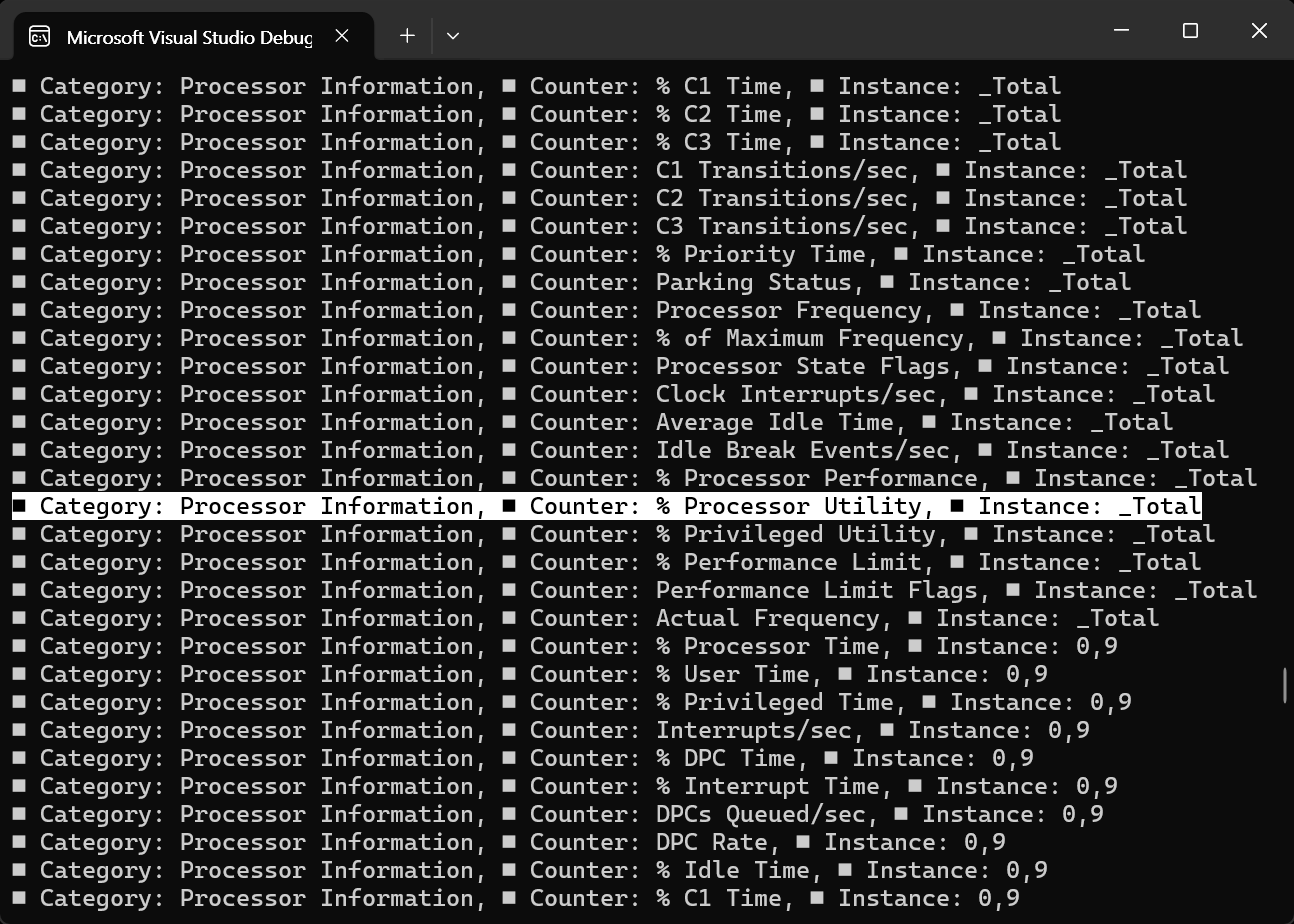
위 결과를 이용해 CPU 사용량을 측정해 보자.
using System;
using System.Diagnostics;
using System.Threading;

namespace ConsoleApp1
{
    internal class Program
    {
        static void Main(string[] args)
        {
            string categoryName = "Processor Information";
            string counterName = "% Processor Utility";
            string instanceName = "_Total";
            float cpuPercent = 0.0f;

            PerformanceCounter cpuCounter = new PerformanceCounter(categoryName, counterName, instanceName);
            // categoryName: The category of the performance counter, in this case "Processor Information".
            // counterName: The specific counter to monitor, in this case "% Processor Utility".
            // instanceName: The instance of the counter, in this case "_Total" for overall CPU usage.

            // The first call to NextValue() returns 0, so we call it once before entering the loop
            cpuCounter.NextValue();

            while (true)
            {
                Thread.Sleep(1000);
                cpuPercent = cpuCounter.NextValue();
                Console.WriteLine("CPU Usage: {0}%", cpuPercent);
            }
        }
    }
}

반응형
'C#' 카테고리의 다른 글
| [LiveCharts] NVR, VMS Playback Timeline UI (0) | 2026.04.21 |
|---|---|
| [LiveCharts] 설치 및 기본 차트 그리기 (0) | 2026.04.20 |
| [C#] DateTime Class & DateTimePicker (0) | 2026.04.07 |
| [C#] Asynchronous Threading 비동기 스레딩 (0) | 2026.03.31 |
| [C#] 콘솔 프로그램 실행하고 결과 확인하기 (0) | 2026.03.28 |