[Tensorflow] Keras mnist dataset with OpenCV 케라스 데이터세트 (feat. LeNet-5)
AI, ML, DL 2026. 3. 2. 21:55 |반응형
Keras mnist 데이터세트의 이미지는 보통 matplotlib.pyplot으로 표시한다.
데이터 타입을 확인하고 OpenCV로 표시해 보자.
import numpy as np
import matplotlib.pyplot as plt
import cv2
import keras

(train_input, train_target), (test_input, test_target) = keras.datasets.fashion_mnist.load_data()

print(train_input.shape) # (60000, 28, 28)
print(train_input[0].shape) # (28, 28)
print(type(train_input[0])) # <class 'numpy.ndarray'>

# 첫 번째 이미지 데이터 출력
np.set_printoptions(linewidth=115, threshold=np.inf) # threshold: 출력 생략 임계값. 내용이 많아도 출력이 생략되지 않는다.
print(train_input[0])

# 첫 번째 ~ 열 번째 이미지 출력(pyplot)
fig, axs = plt.subplots(1, 10, figsize=(10, 10))
for i in range(10):
	axs[i].imshow(train_input[i], cmap='gray')
	axs[i].axis('off')
plt.show()

# 첫 번째 이미지 출력(OpenCV)
image = cv2.resize(src=train_input[0], dsize=(0, 0), fx=10, fy=10) # 10배로 확대
cv2.imshow("image", image)
cv2.waitKey(0)
cv2.destroyAllWindows()
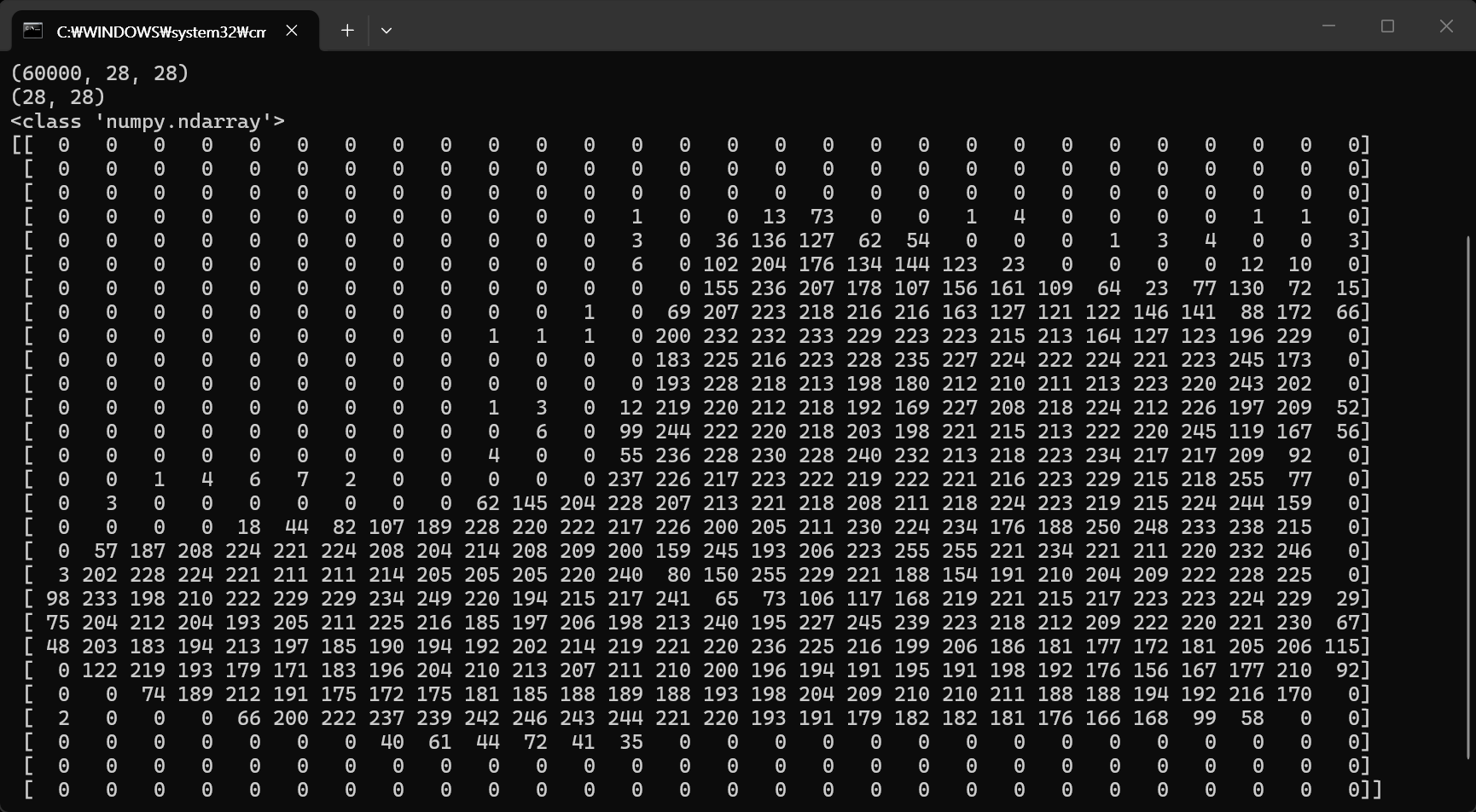
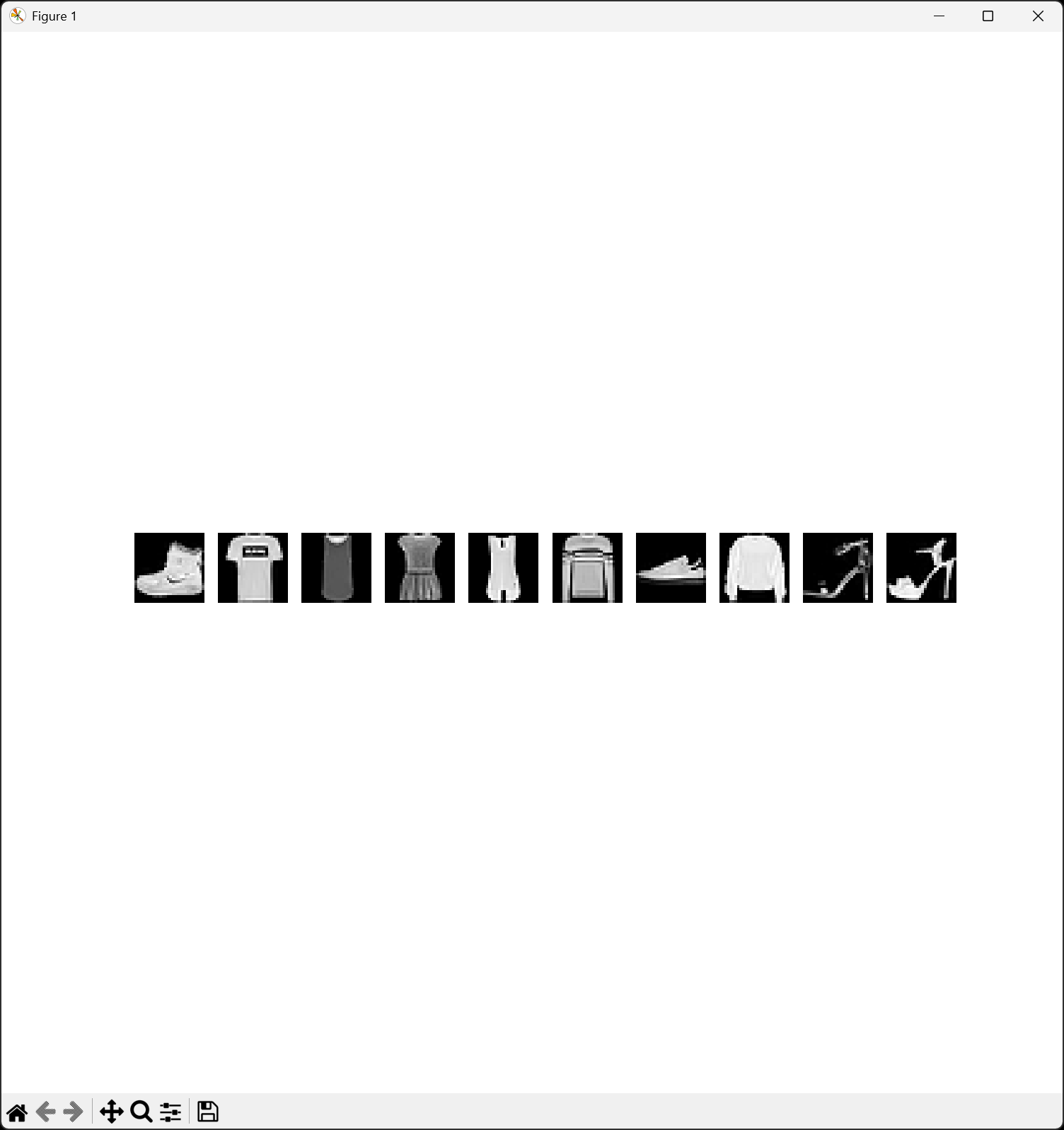
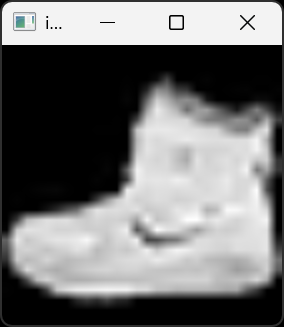
28X28 사이즈의 이미지라 너무 작아 10배 확대하고 OpenCV로 출력했다.
Keras에서 사용하는 이미지 데이터 타입도 numpy.ndarray이고, OpenCV에서 사용하는 이미지 데이터 타입도 numpy.ndarray이기 때문에 서로 호환된다.
LeNet-5 모델을 만들고 OpenCV로 로드한 이미지를 이용해 결과를 예측해 보자.
import numpy as np
import cv2
import keras
from keras import layers
from sklearn.model_selection import train_test_split

# LeNet-5 정의
lenet5 = keras.Sequential()
lenet5.add(layers.Input(shape=(28, 28, 1)))
lenet5.add(layers.Conv2D(filters=6, kernel_size=5, activation='sigmoid', padding='same'))
lenet5.add(layers.AveragePooling2D(pool_size=2))
lenet5.add(layers.Conv2D(filters=16, kernel_size=5, activation='sigmoid'))
lenet5.add(layers.AveragePooling2D(pool_size=2))
lenet5.add(layers.Flatten())
lenet5.add(layers.Dense(120, activation='sigmoid'))
lenet5.add(layers.Dense(84, activation='sigmoid'))
lenet5.add(layers.Dense(10, activation='softmax'))
lenet5.summary()

# 훈련 데이터 로드
(train_input, train_target), (test_input, test_target) = keras.datasets.fashion_mnist.load_data()
train_input = train_input.reshape(-1, 28, 28, 1) / 255.0
train_scaled, val_scaled, train_target, val_target = train_test_split(train_input, train_target, test_size=0.2, random_state=42)

# 콜백 함수 정의
checkpoint_cb = keras.callbacks.ModelCheckpoint('lenet5-model.keras', save_best_only=True)
early_stopping_cb = keras.callbacks.EarlyStopping(patience=2, restore_best_weights=True)

# LeNet-5 훈련
lenet5.compile(loss='sparse_categorical_crossentropy', metrics=['accuracy'])
hist = lenet5.fit(train_scaled, train_target, epochs=20, validation_data=(val_scaled, val_target), callbacks=[checkpoint_cb, early_stopping_cb])

# 예측 이미지 준비
image = cv2.imread('shoes.jpg')
image = cv2.cvtColor(image, cv2.COLOR_BGR2GRAY)
image = cv2.resize(image, (28, 28))
image = cv2.bitwise_not(image) # 이미지 반전

# Fashion MNIST 클래스 정의
class_names = ['T-shirt/top', 'Trouser', 'Pullover', 'Dress', 'Coat', 'Sandal', 'Shirt', 'Sneaker', 'Bag', 'Ankle boot']

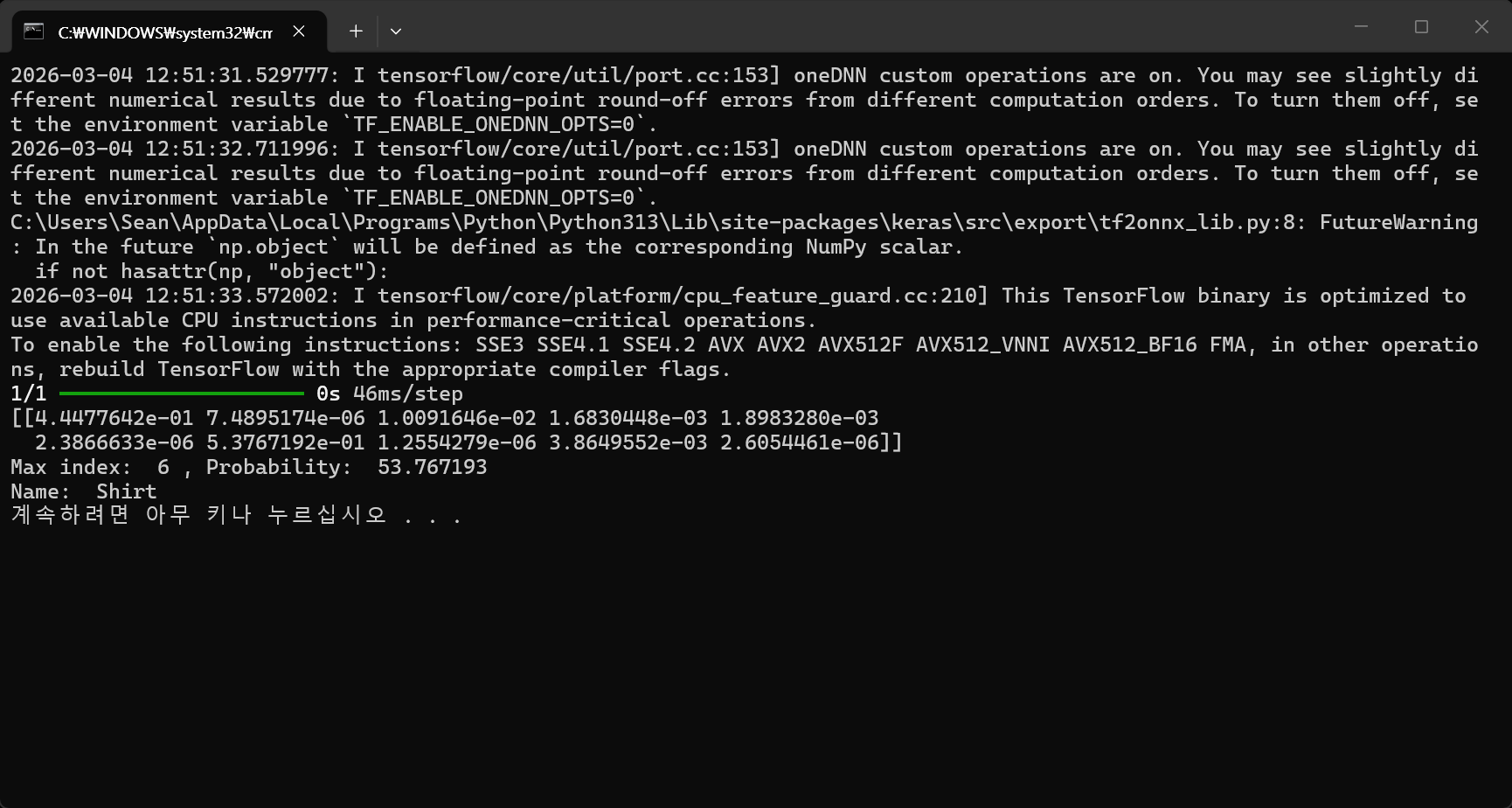
# 예측
prediction = lenet5.predict(image.reshape(-1, 28, 28, 1) / 255.0)
print(prediction)

# 출력
max_index = np.argmax(prediction)
print('Max index: ', max_index, ', Probability: ', prediction[0][max_index] * 100)
print('Name: ', class_names[max_index])
shoes.jpg
0.26MB
tshirt.jpg
0.56MB

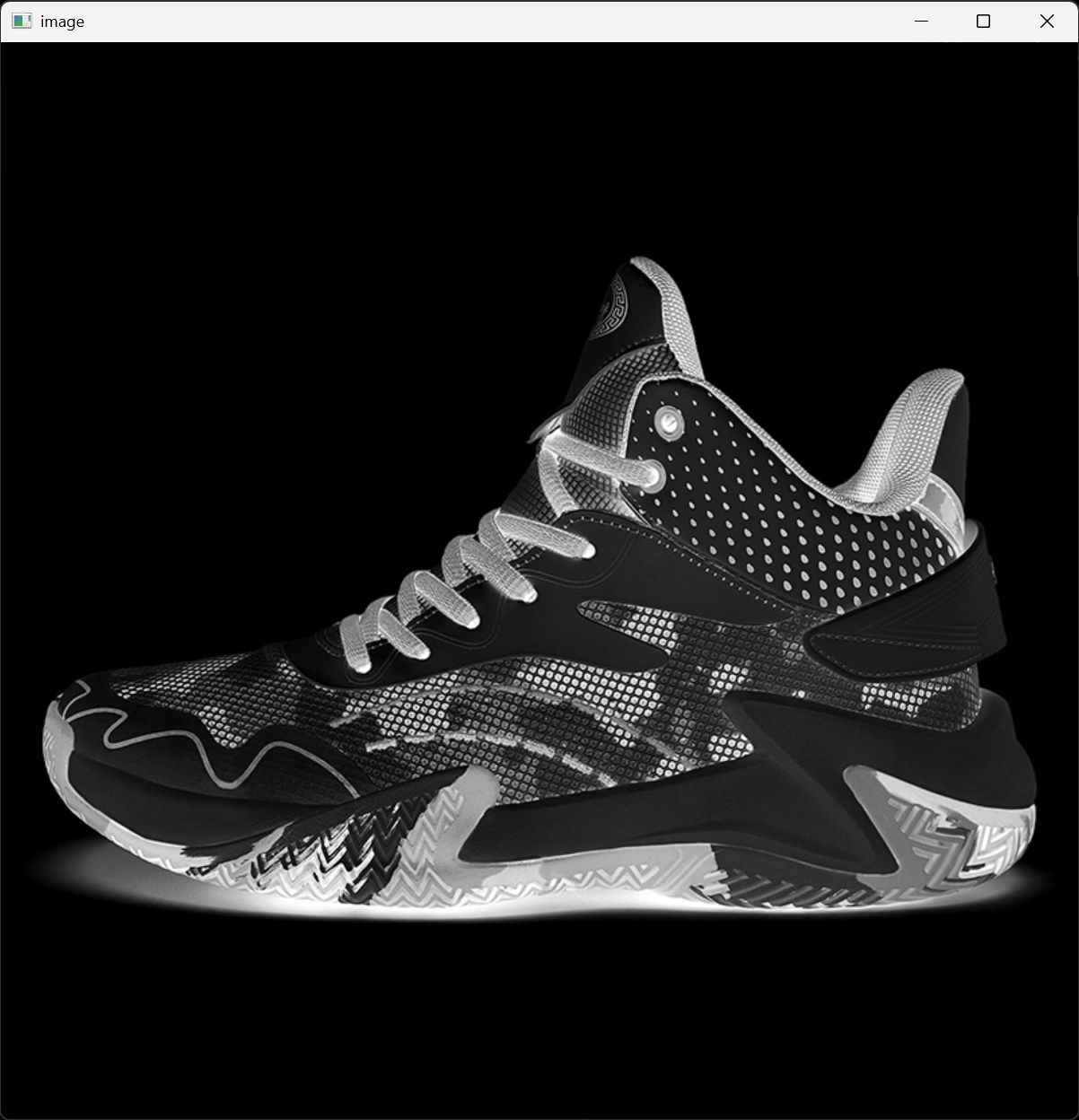
아래는 shoes.jpg, tshirt.jpg 그레이스케일 이미지를 (28X28) 사이즈로 변환 전 반전한 이미지다.

이번엔 훈련 없이 위에서 저장한 가중치(lenet5-model.keras)를 로드하고 예측해 보자.
import numpy as np
import cv2
import keras
from keras import layers
from sklearn.model_selection import train_test_split

# Lenet5 정의 (로드할 가중치와 동일한 모델을 만들어야 한다)
lenet5 = keras.Sequential()
lenet5.add(layers.Input(shape=(28, 28, 1)))
lenet5.add(layers.Conv2D(filters=6, kernel_size=5, activation='sigmoid', padding='same'))
lenet5.add(layers.AveragePooling2D(pool_size=2))
lenet5.add(layers.Conv2D(filters=16, kernel_size=5, activation='sigmoid'))
lenet5.add(layers.AveragePooling2D(pool_size=2))
lenet5.add(layers.Flatten())
lenet5.add(layers.Dense(120, activation='sigmoid'))
lenet5.add(layers.Dense(84, activation='sigmoid'))
lenet5.add(layers.Dense(10, activation='softmax'))
#lenet5.summary()

# 저장한 가중치 로드
lenet5.load_weights('lenet5-model.keras')

# 예측 이미지 준비
image = cv2.imread('tshirt.jpg')
image = cv2.cvtColor(image, cv2.COLOR_BGR2GRAY)
image = cv2.resize(image, (28, 28))
image = cv2.bitwise_not(image) # 이미지 반전

# Fashion MNIST 클래스 정의
class_names = ['T-shirt/top', 'Trouser', 'Pullover', 'Dress', 'Coat', 'Sandal', 'Shirt', 'Sneaker', 'Bag', 'Ankle boot']

# 예측
prediction = lenet5.predict(image.reshape(-1, 28, 28, 1) / 255.0)
print(prediction)

# 출력
max_index = np.argmax(prediction)
print('Max index: ', max_index, ', Probability: ', prediction[0][max_index] * 100)
print('Name: ', class_names[max_index])
반응형
'AI, ML, DL' 카테고리의 다른 글
| [Ollama] Ollama with Python 1 (0) | 2026.06.13 |
|---|---|
| [Ollama] Ollama 설치 및 간단한 실행 (0) | 2026.06.13 |
| [Tensorflow] Kernel build 커널 빌드 및 확인 (0) | 2026.03.01 |
| [YOLO] YOLOs-CPP Simple Example (0) | 2026.02.15 |
| [YOLO] YOLOs-CPP build 빌드하기 (0) | 2026.02.15 |