'remove'에 해당되는 글 2건

  1. 2025.10.11 [Rocky Linux] Kernel Removal 커널 삭제
  2. 2023.09.26 [Godot] AddChild(), RemoveChild()
반응형

필요 없는 리눅스 커널을 삭제해 보자.


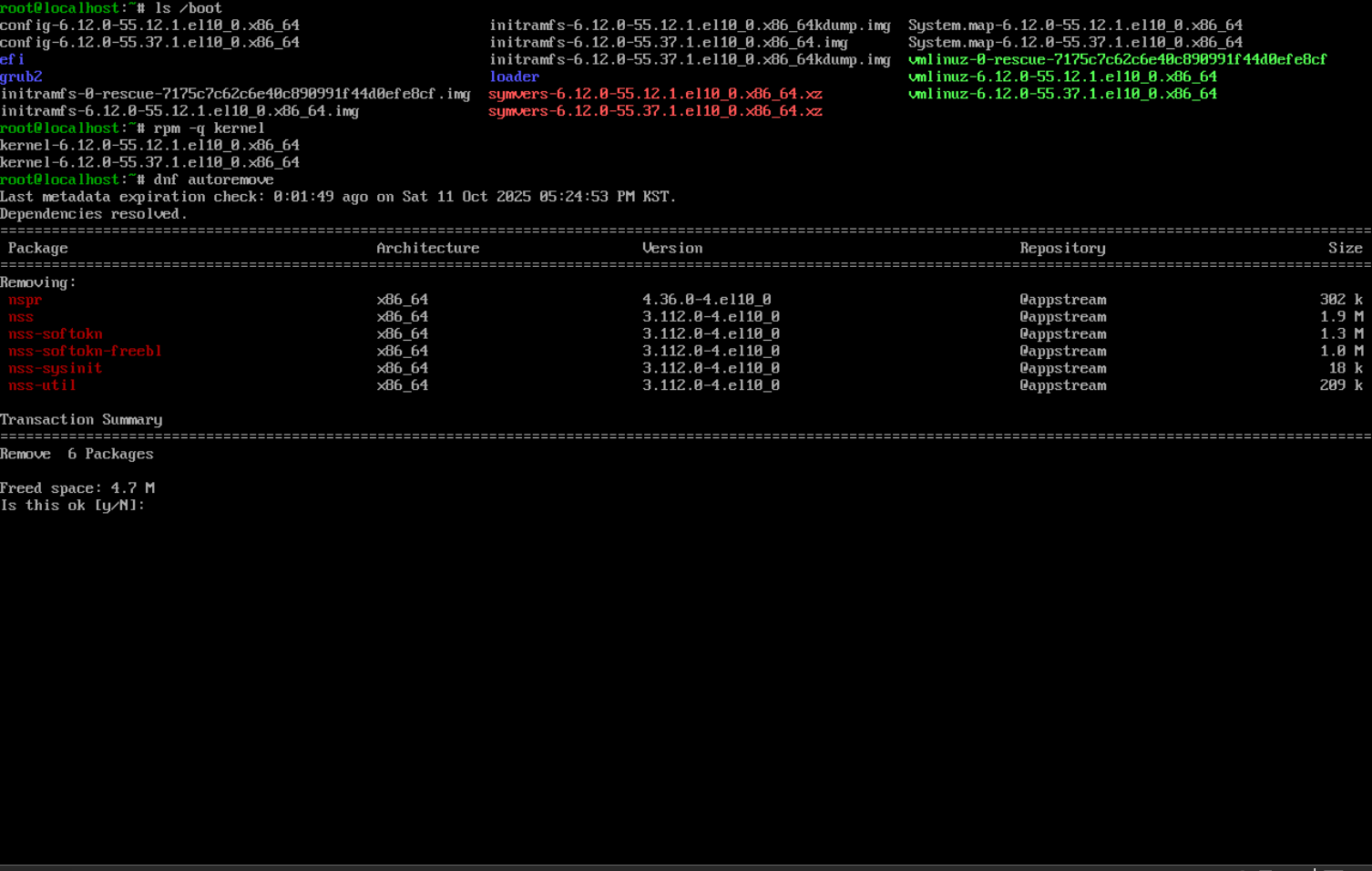
rpm -q kernel 명령으로 확인해 보면 2개의 커널이 있다.

※  dnf list kernel 명령으로도 확인 할 수 있다.


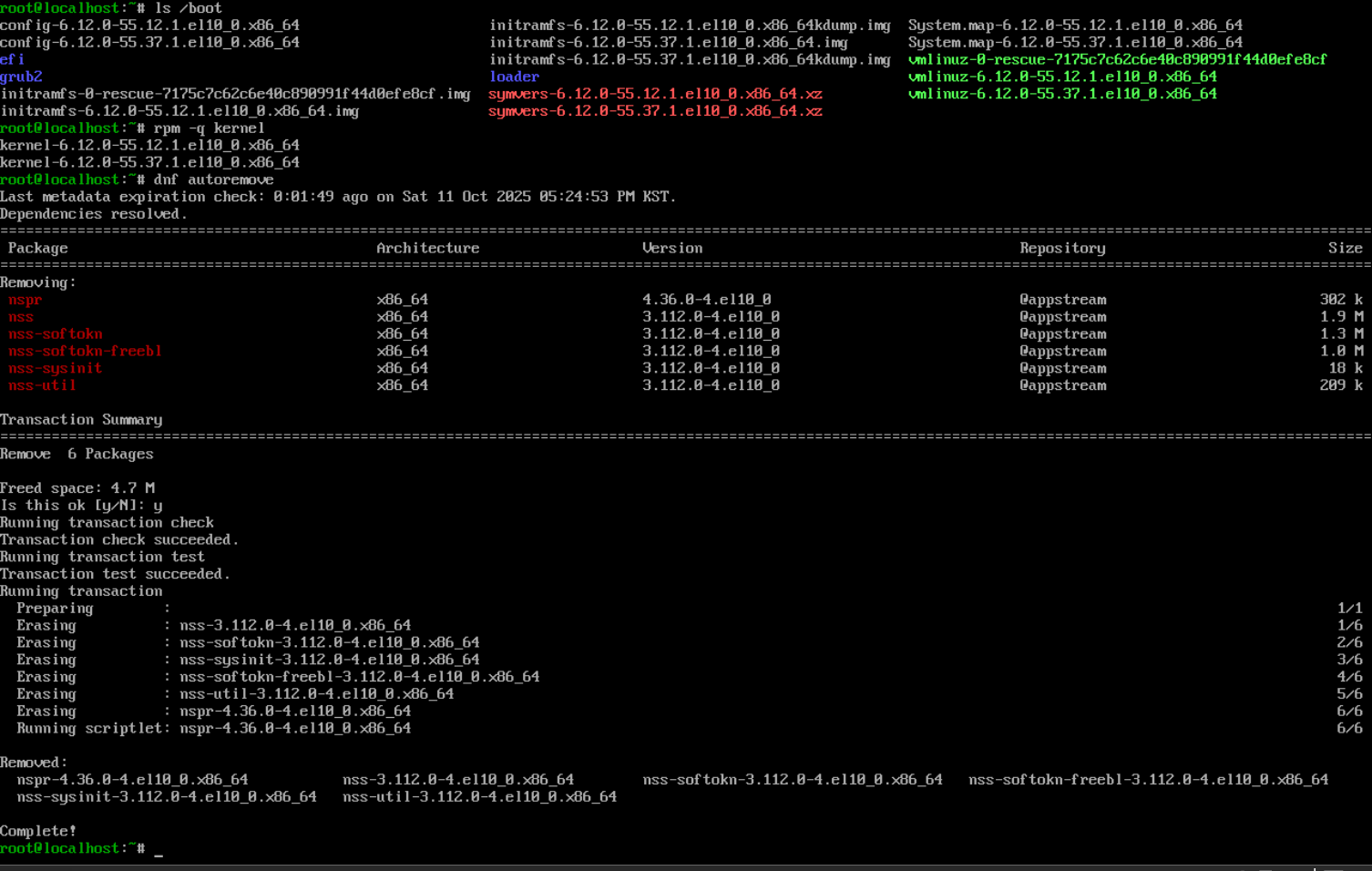
dnf autoremove 명령을 실행해 보자.

autoremove - 필요 없는 패키지를 삭제한다.


y를 선택하고 진행하면 필요 없는 패키지가 삭제된다.


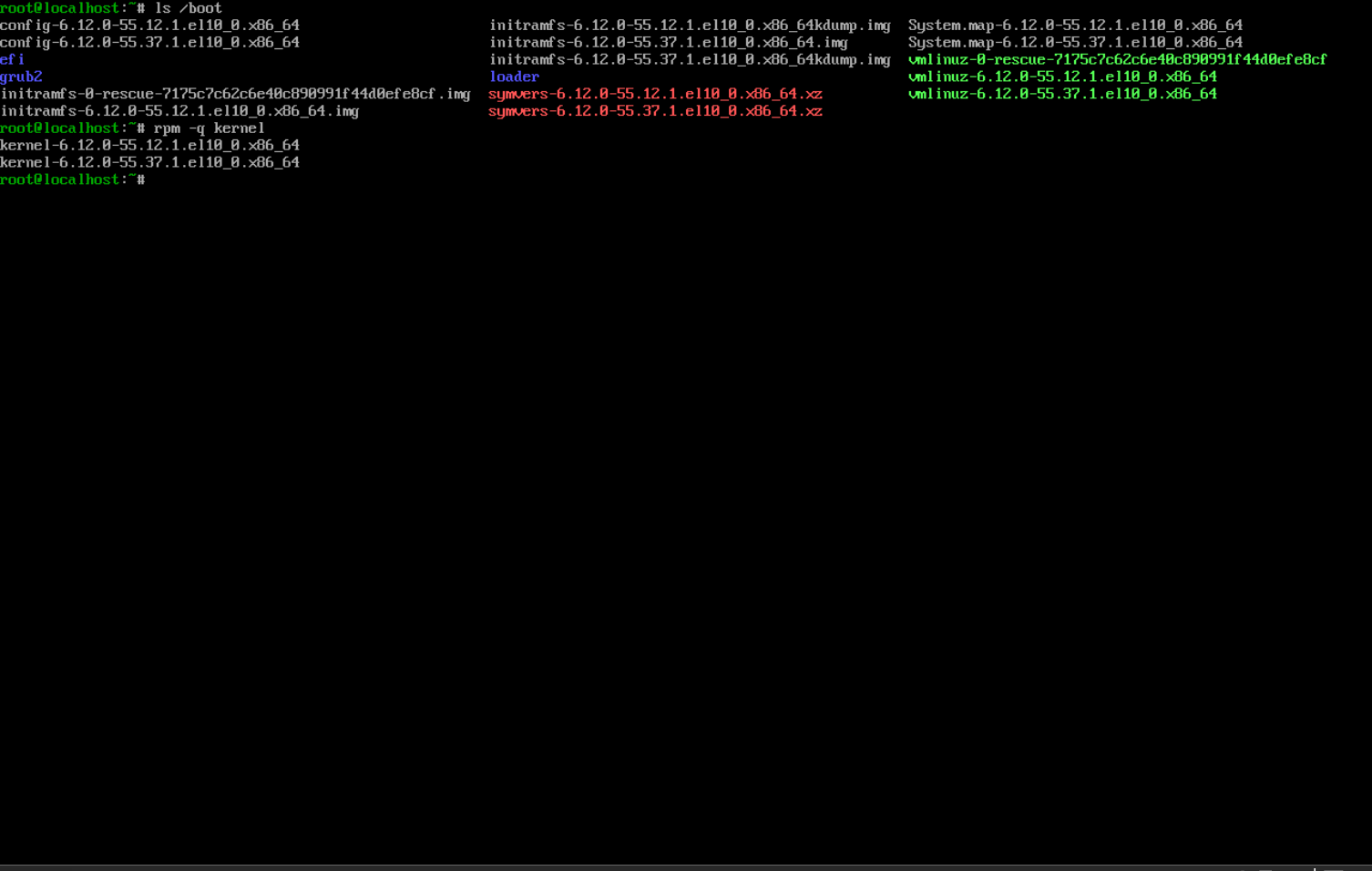
다시 rpm 명령으로 커널을 확인해 보면 그대로다. dnf autoremove 명령은 커널과 상관이 없다.


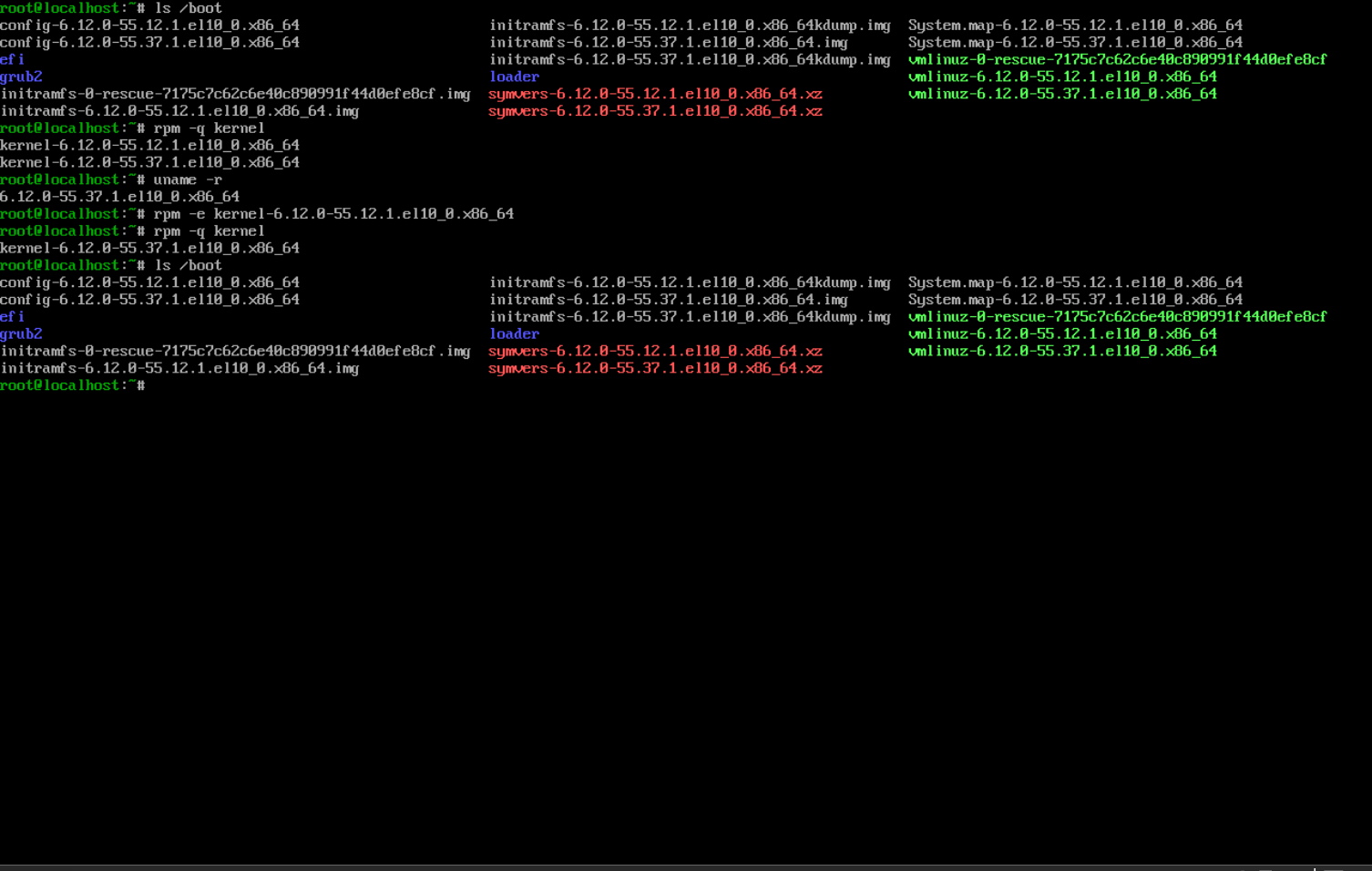
rpm -e '커널명' 명령으로 커널을 삭제한다.

rpm -q kernel 명령으로 확인해 보면 위 그림에서 삭제한 커널이 더 이상 표시되지 않는다.

하지만 /boot 디렉토리를 확인해 보면 vmlinuz-XXX 파일은 그대로 남아 있는걸 볼 수 있다.

vmlinuz 파일은 압축된 리눅스 커널 이미지다. (z: 압축을 의미)


반응형
Posted by J-sean
:
반응형

Instantiate로 생성한 씬을 반복 재사용해 보자.


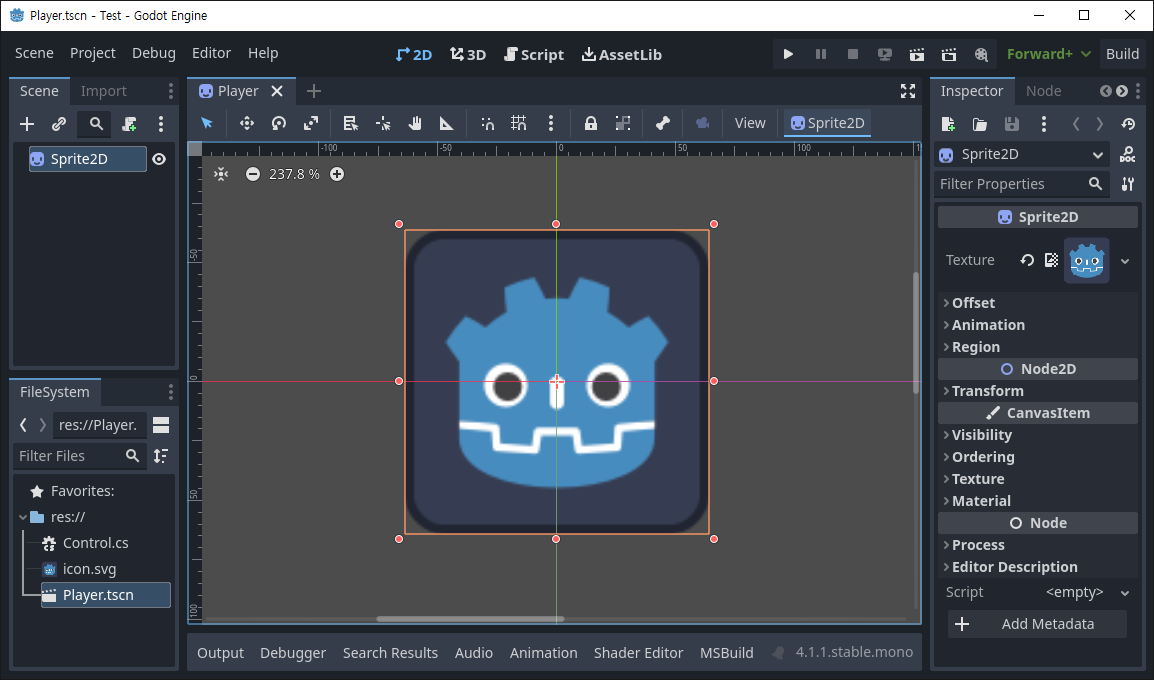
스프라이트 하나를 생성하고 씬으로 저장(Player.tscn)한다.


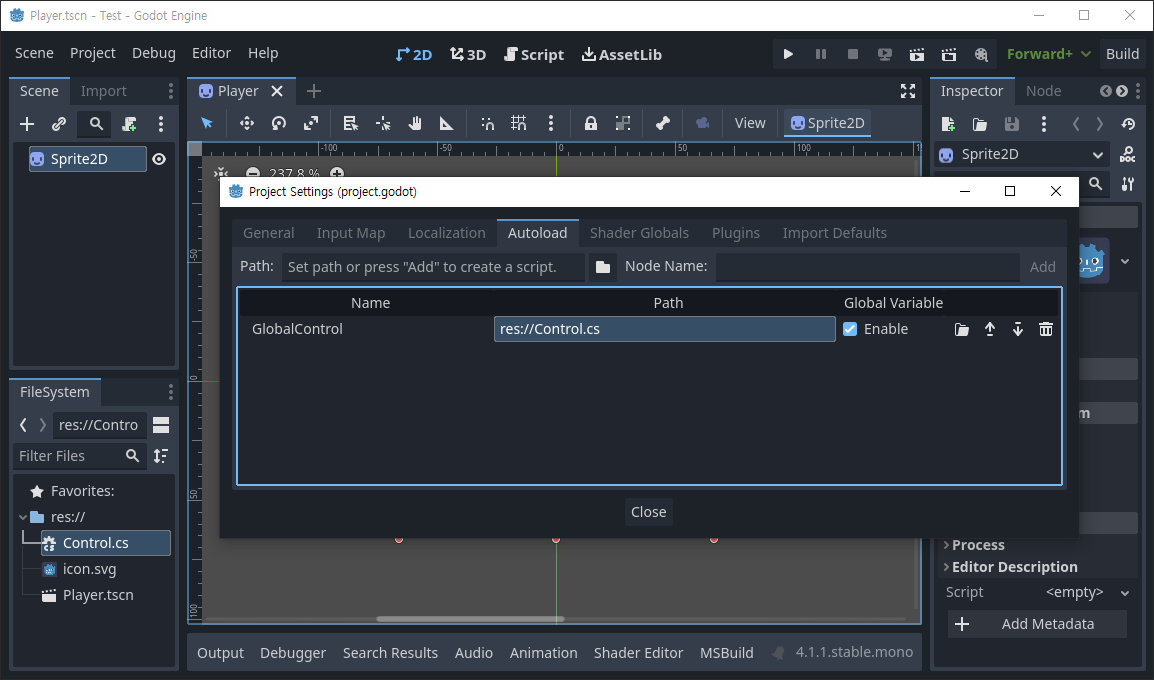
res:// 에 스크립트를 생성하고 Autoload에 추가한다.


1
2
3
4
5
6
7
8
9
10
11
12
13
14
15
16
17
18
19
20
21
22
23
24
25
26
27
28
29
30
31
32
33
34
35
36
37
38
39
40
41
42
43
44
using Godot;
 
public partial class Control : Node
{
    public PackedScene Scene;
    public Timer timer;
    public Sprite2D Sprite;
 
    public override void _Ready()
    {
        // C# has no preload, so you have to always use ResourceLoader.Load<PackedScene>().
        Scene = ResourceLoader.Load<PackedScene>("res://Player.tscn");
        Sprite = Scene.Instantiate<Sprite2D>();
 
        timer = new Timer();
        timer.Connect("timeout", Callable.From(OnTimeOut));
        timer.WaitTime = 1.0;
        AddChild(timer);
        timer.Start();        
    }
    
    public override void _Process(double delta)
    {        
    }
 
    public void OnTimeOut()
    {
 
        Sprite.Position = new Vector2(GD.RandRange(0, (int)GetViewport().GetVisibleRect().Size.X),
            GD.RandRange(0, (int)GetViewport().GetVisibleRect().Size.Y));
        if (Sprite.GetParent() == null )
        {
            AddChild(Sprite);
            // Adds a child node. Nodes can have any number of children, but every child must have
            // a unique name. Child nodes are automatically deleted when the parent node is deleted,
            // so an entire scene can be removed by deleting its topmost node.
        }
        else
        {
            RemoveChild(Sprite);
            // Removes a child node. The node is NOT deleted and must be deleted manually.
        }
    }
}


RemoveChild()로 제거한 자식 노드는 삭제되지는 않는다. AddChild()로 다시 추가 할 수 있다.


게임을 실행하면 씬에 스프라이트가 반복해서 나타났다 사라진다.


게임이 실행된 상태에서 Remote 탭을 확인하면 GlobalControl의 자식 노드로 Sprite2D가 반복적으로 추가됐다 삭제 된다.


반응형
Posted by J-sean
: