


[Ollama] Ollama with Python 2
AI, ML, DL 2026. 6. 14. 10:12 |반응형
파이썬으로 Ollama를 사용해 보자.
2026.06.13 - [AI, ML, DL] - [Ollama] Ollama with Python 1
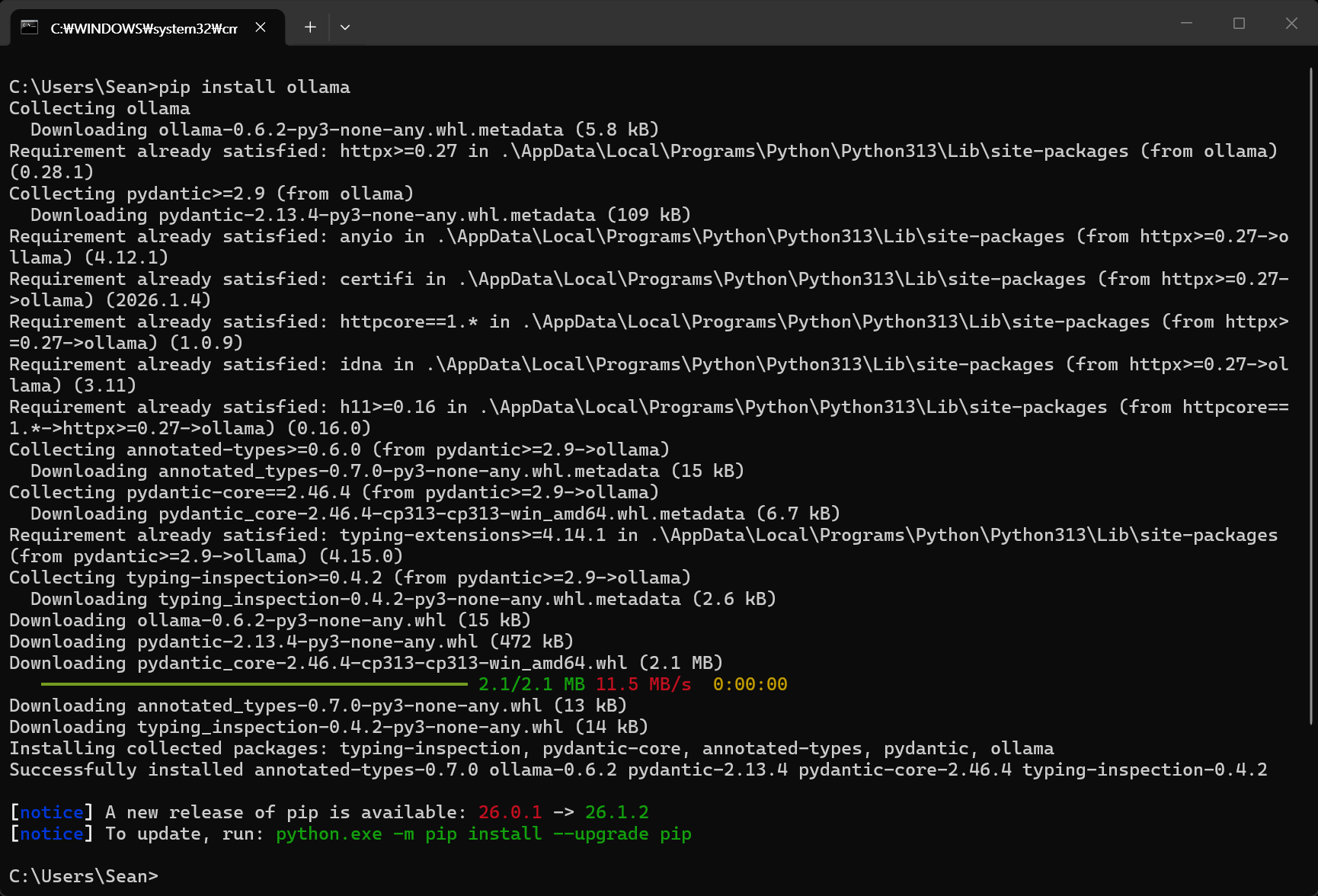
간단한 사용법을 확인해 보자.
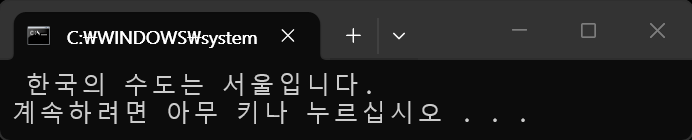
import ollama

response = ollama.generate(model='llava', prompt='한국의 수도는 어디야?')
print(response.response)
#print(response['response'])
import ollama
import requests

# 인터넷에서 이미지를 다운로드 받아 바이너리 데이터로 준비.
# ollama는 로컬에서 동작하므로 인터넷 URL을 직접 넘겨주면 다운로드하지 못한다.
# requests 패키지 등으로 이미지를 미리 다운로드하여 메모리에 올리거나 파일로 저장한 뒤 전달해야 한다.
image_url = 'https://img1.daumcdn.net/thumb/R1280x0/?scode=mtistory2&fname=https%3A%2F%2Fblog.kakaocdn.net' \
'%2Fdna%2FWOyez%2FdJMcacQXuKj%2FAAAAAAAAAAAAAAAAAAAAAFgT1DZJQGvFBLB9ol_9VqLwj5K0O47aH7TEakuYfAZc%2Fimg.jpg' \
'%3Fcredential%3DyqXZFxpELC7KVnFOS48ylbz2pIh7yKj8%26expires%3D1782831599%26allow_ip%3D%26allow_referer' \
'%3D%26signature%3DQqFJijrkmyGM1xuFRwkdn6HxV80%253D'
# 너무 긴 URL이므로 줄바꿈 처리. 실제 코드에서는 한 줄로 작성해도 무방.

response_image = requests.get(image_url)
image_bytes = response_image.content

response = ollama.chat(
	model='llava',
	messages=[
		{
			'role': 'system',
			'content': '너는 이미지 분석 전문가야.'
		},
		{
			'role': 'user',
			'content': '이미지에 무엇이 있는지 한글로 알려줘.',
			'images': [image_bytes]  # 다운로드한 이미지 바이너리 데이터 삽입
		}
	]
)

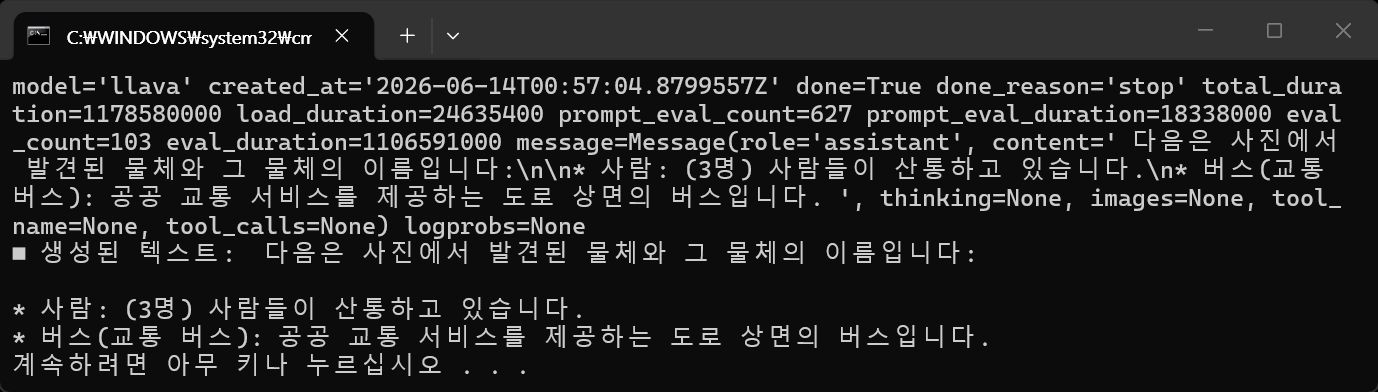
print(response)
print("■ 생성된 텍스트:", response['message']['content'])

생성되는 텍스트를 실시간 스트리밍해 보자.
import ollama
import requests

# 인터넷에서 이미지를 다운로드 받아 바이너리 데이터로 준비.
# ollama는 로컬에서 동작하므로 인터넷 URL을 직접 넘겨주면 다운로드하지 못한다.
# requests 패키지 등으로 이미지를 미리 다운로드하여 메모리에 올리거나 파일로 저장한 뒤 전달해야 한다.
image_url = 'https://img1.daumcdn.net/thumb/R1280x0/?scode=mtistory2&fname=https%3A%2F%2Fblog.kakaocdn.net' \
'%2Fdna%2FWOyez%2FdJMcacQXuKj%2FAAAAAAAAAAAAAAAAAAAAAFgT1DZJQGvFBLB9ol_9VqLwj5K0O47aH7TEakuYfAZc%2Fimg.jpg' \
'%3Fcredential%3DyqXZFxpELC7KVnFOS48ylbz2pIh7yKj8%26expires%3D1782831599%26allow_ip%3D%26allow_referer' \
'%3D%26signature%3DQqFJijrkmyGM1xuFRwkdn6HxV80%253D'
# 너무 긴 URL이므로 줄바꿈 처리. 실제 코드에서는 한 줄로 작성해도 무방.

response_image = requests.get(image_url)
image_bytes = response_image.content

response = ollama.chat(
	model='llava',
	messages=[
		{
			'role': 'system',
			'content': '너는 이미지 분석 전문가야.'
		},
		{
			'role': 'user',
			'content': '이미지에 무엇이 있는지 한글로 알려줘.',
			'images': [image_bytes]  # 다운로드한 이미지 바이너리 데이터 삽입
		}
	],
	stream =True  # 스트리밍 응답을 받도록 설정
)

for chunk in response:
    print(chunk['message']['content'], end='', flush=True)

로컬 이미지 파일을 처리해 보자.
import ollama

response = ollama.chat(
    model='llava',
    messages=[
        {
            'role': 'user',
            'content': '이 이미지를 설명해줘.',
            'images': ['D:/D/My project/C/bus.jpg']
            #'images': ['D:\\D\\My project\\C\\bus.jpg']
        }
    ]
)
print(response['message']['content'])

비동기 방식으로 처리해 보자.
import ollama
import asyncio

async def main():
	response = await ollama.AsyncClient().chat(
		model='llava',
		messages=[
			{
				'role': 'system',
				'content': '너는 이미지 분석 전문가야.'
			},
			{
				'role': 'user',
				'content': '이미지에 무엇이 있는지 한글로 알려줘.',
				'images': ['D:/D/My project/C/bus.jpg']
			}
		],
		stream=True  # 스트리밍 응답을 받도록 설정
	)

	# 비동기 제너레이터에서 값을 읽기 위해 async for 사용
	async for chunk in response:
		print(chunk['message']['content'], end='', flush=True)

async def run_concurrently():
	# main() 함수를 백그라운드 태스크로 등록하여 실행을 시작함
	task = asyncio.create_task(main())

	# main()이 비동기적으로 실행되는 동안 바로 다음 코드가 실행됨
	for i in range(5):
		print("Another task running...")
		await asyncio.sleep(1)  # 이벤트 루프를 막지 않는 비동기 sleep 사용

	# 백그라운드 태스크(main)가 완료될 때까지 대기
	# 이 줄이 없으면 백그라운드 태스크가 완료되기 전에 프로그램이 종료될 수 있음
	await task

if __name__ == "__main__":
	# 진입점을 run_concurrently로 변경
	asyncio.run(run_concurrently())
더보기
로컬 이미지 파일을 Base64로 인코딩해서 사용할 수도 있다.
import ollama
import base64
import asyncio

async def main():
	# 로컬 이미지 파일을 읽어 Base64로 인코딩
	image_path = r"D:\D\My project\C\bus.jpg"
	with open(image_path, "rb") as image_file:
		base64_image = base64.b64encode(image_file.read()).decode('utf-8')

	response = await ollama.AsyncClient().chat(
		model='llava',
		messages=[
			{
				'role': 'system',
				'content': '너는 이미지 분석 전문가야.'
			},
			{
				'role': 'user',
				'content': '이미지에 무엇이 있는지 한글로 알려줘.',
				'images': [base64_image]  # Base64로 인코딩한 이미지 데이터 삽입
			}
		],
		stream=True  # 스트리밍 응답을 받도록 설정
	)

	# 비동기 제너레이터에서 값을 읽기 위해 async for 사용
	async for chunk in response:
		print(chunk['message']['content'], end='', flush=True)

async def run_concurrently():
	# main() 함수를 백그라운드 태스크로 등록하여 실행을 시작함
	task = asyncio.create_task(main())

	# main()이 비동기적으로 실행되는 동안 바로 다음 코드가 실행됨
	for i in range(5):
		print("Another task running...")
		await asyncio.sleep(1)  # 이벤트 루프를 막지 않는 비동기 sleep 사용

	# 백그라운드 태스크(main)가 완료될 때까지 대기
	# 이 줄이 없으면 백그라운드 태스크가 완료되기 전에 프로그램이 종료될 수 있음
	await task

if __name__ == "__main__":
	# 진입점을 run_concurrently로 변경
	asyncio.run(run_concurrently())

반응형
'AI, ML, DL' 카테고리의 다른 글
| [Ollama] llava 동영상 분석 (0) | 2026.06.14 |
|---|---|
| [Ollama] Hugging Face 모델 설치 (Bllossom) (0) | 2026.06.14 |
| [Ollama] Ollama with Python 1 (0) | 2026.06.13 |
| [Ollama] Ollama 설치 및 간단한 실행 (0) | 2026.06.13 |
| [Tensorflow] Keras mnist dataset with OpenCV 케라스 데이터세트 (feat. LeNet-5) (0) | 2026.03.02 |