


[YOLO] YOLO-World
AI, ML, DL 2026. 6. 16. 14:21 |반응형
YOLO-World 오픈 어휘(Open-Vocabulary) 탐지 작업은 서술형 텍스트를 기반으로 이미지 내 모든 객체를 탐지할 수 있다.
predict()를 사용한 객체 탐지.
from ultralytics import YOLOWorld

# Initialize a YOLO-World model
model = YOLOWorld("yolov8s-world.pt")  # or select yolov8m/l-world.pt for different sizes

# Execute inference with the YOLOv8s-world model on the specified image
results = model.predict("bus.jpg")

# Show results
results[0].show()
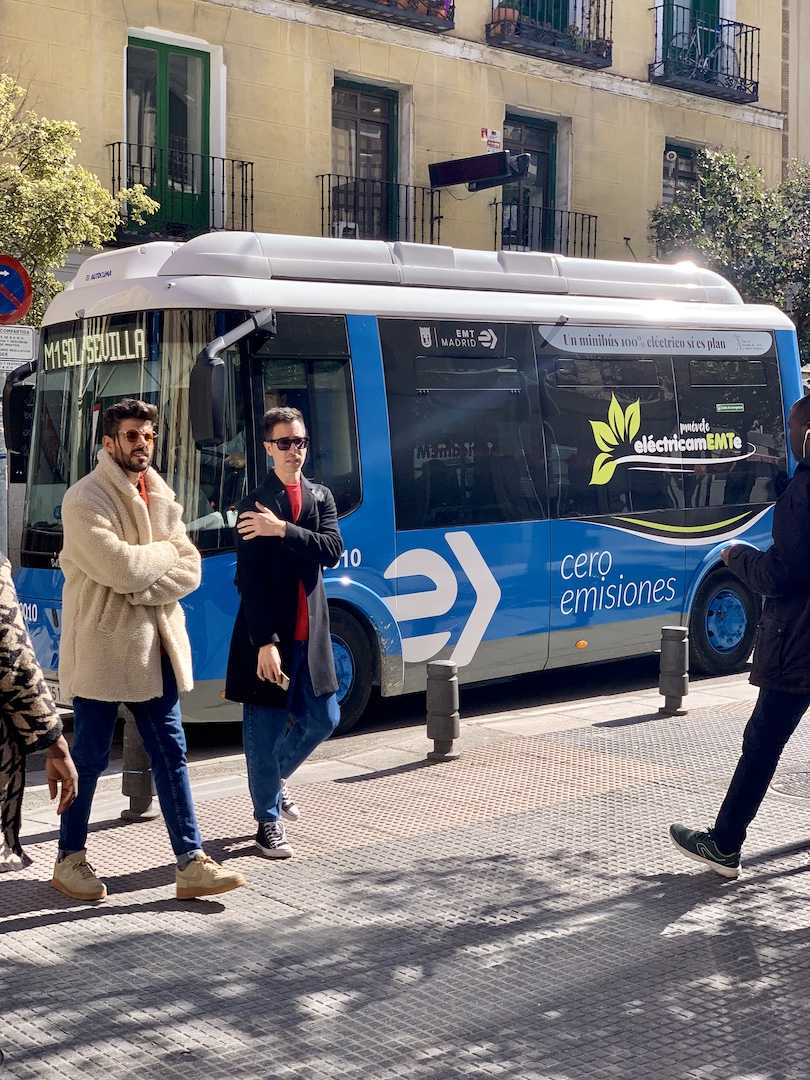
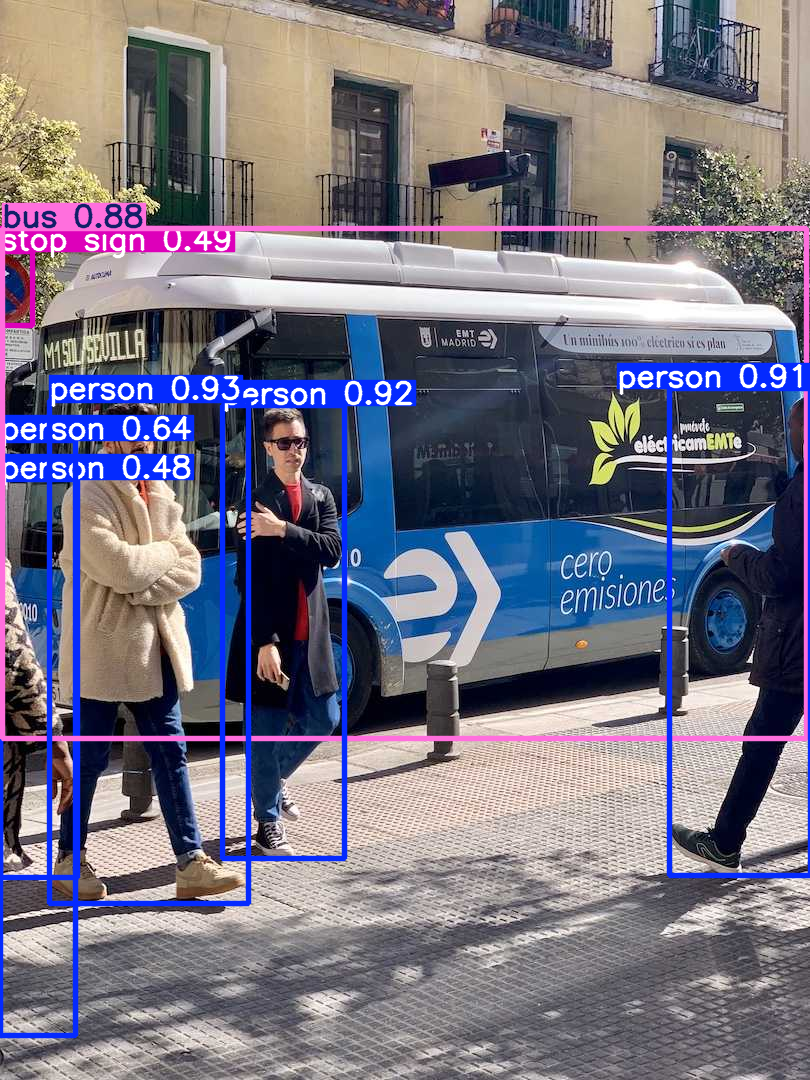

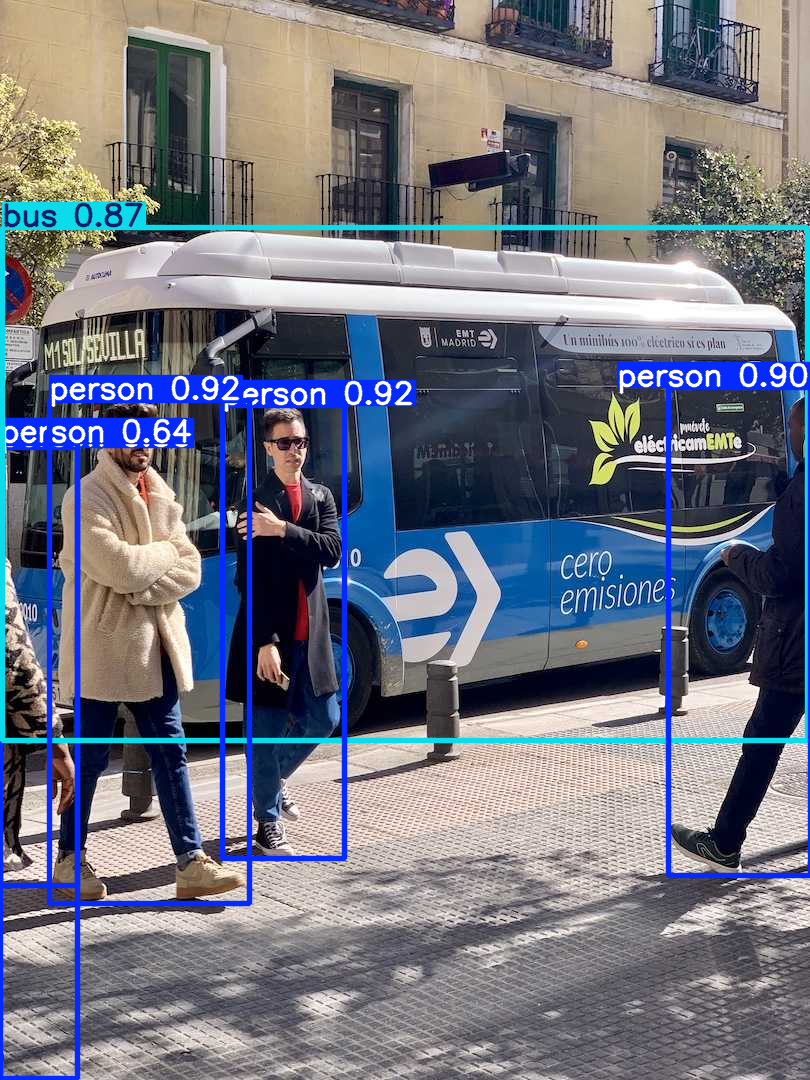
사용자 정의 추론 프롬프트 사용. person과 bus 객체만 탐지.
from ultralytics import YOLO

# Initialize a YOLO-World model
model = YOLO("yolov8s-world.pt")  # or choose yolov8m/l-world.pt

# Define custom classes
model.set_classes(["person", "bus"])

# Execute prediction for specified categories on an image
results = model.predict("path/to/image.jpg")

# Show results
results[0].show()

비디오에서 객체 추적
from ultralytics import YOLO

# Create a YOLO-World model
model = YOLO("yolov8s-world.pt")  # or select yolov8m/l-world.pt for different sizes

# Track with a YOLO-World model on a video
results = model.track(source="path/to/video.mp4")
crosswalk_cctv_01.z01
19.53MB
crosswalk_cctv_01.zip
4.31MB

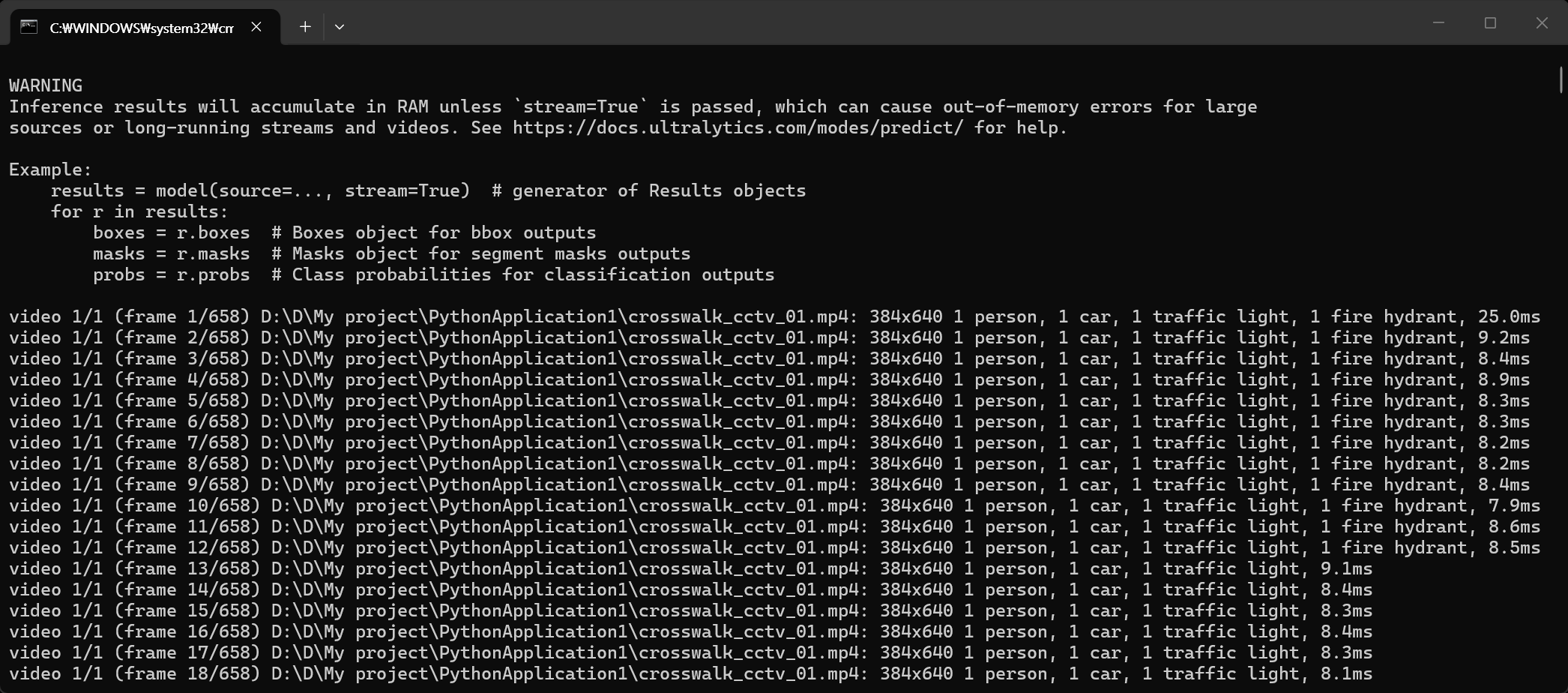
추적 결과 확인
from ultralytics import YOLO

# Create a YOLO-World model
model = YOLO("yolov8s-world.pt")  # or select yolov8m/l-world.pt for different sizes

# Track with a YOLO-World model on a video
results = model.track(source="crosswalk_cctv_01.mp4", stream=True)

for r in results:
	print("Boxes: ", r.boxes)
	print("Maskes: ", r.masks)
	print("Probs: ", r.probs)
	print("-" * 60)

사람 1개, 차 1개, 신호등 1개, 소화전 1개를 찾았다.
그래서 4개의 위치 정보를 표시한다. 이 정보를 가지고 OpenCV를 이용해 영상에 표시해 출력할 수 있을거 같다.
■ cls: 클래스
■ conf: 정확도
■ xywh: 시작 x위치, 시작 y위치, 폭, 높이
■ xywhn: wywh 정규화
■ xyxy: 시작 x위치, 시작 y위치, 끝 x위치, 끝 y위치
■ xyxyn: xyxy 정규화
반응형
'AI, ML, DL' 카테고리의 다른 글
| [vLLM] WSL에서 vLLM 서버 실행하고 사용하기 (2) | 2026.06.21 |
|---|---|
| [vLLM] WSL에서 vLLM 설치 및 간단한 실행 (1) | 2026.06.19 |
| [Ollama] Ollama Backend Serve 백엔드 실행 (0) | 2026.06.14 |
| [Ollama] llava 동영상 분석 (0) | 2026.06.14 |
| [Ollama] Hugging Face 모델 설치 (Bllossom) (0) | 2026.06.14 |